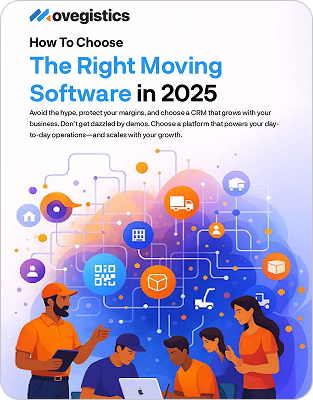
CRM for Movers: How to Choose the Right One (and Stop Losing Leads)
A practical guide to picking software that actually fits a moving company, what to require, what to avoid, and how to stop leaking leads.
What you’ll learn
- Why a general CRM falls short for moving companies
- The moving workflow your CRM has to cover, end to end
- A must-have feature checklist to take into vendor demos
- Generic vs mover-specific CRM, compared side by side
The problem
Why a general CRM falls short for movers
Most CRMs were built to manage contacts and sales pipelines. That is useful, but a moving company does not just track deals. It surveys homes, prices by cubic feet and tariffs, schedules crews and trucks, and bills on completion. A general CRM understands none of that, so movers who adopt one still buy a separate survey tool, a separate estimator, a separate dispatch board, and an accounting integration, then spend their days re-typing the same job into each one. The CRM that looked cheap becomes four systems and a data-entry tax.
Map the job
The moving workflow your CRM has to cover
Before you compare vendors, map the actual path a job takes. The right CRM owns all of it without a handoff:
- Lead capture from your website, third-party providers, and forms
- Fast, consistent follow-up so estimates do not go cold
- Survey and inventory, ideally an AI survey the customer can do on their phone
- Estimating with real moving pricing (local, intrastate, interstate, commercial)
- Booking and a clean record that carries forward
- Dispatch, crew assignment, and a mobile crew app
- Invoicing and accounting sync, with no double entry
Bring this to demos
Must-have feature checklist
- Built for movers, not a generic CRM with add-ons
- One record from lead to invoice, no re-keying between stages
- AI surveys that turn a phone recording into a priced inventory
- Pricing engine for every service type you run
- Automations for email and text follow-up
- Mobile crew app with real-time status
- Accounting sync (for example QuickBooks) with line-level detail
Compare
Generic CRM vs mover-specific CRM
| Capability | Generic CRM | Mover-specific CRM (Movegistics AI) |
|---|---|---|
| Lead capture and follow-up | Yes | Yes, with mover-tuned automations |
| Home survey and inventory | No, needs a separate tool | Built in, AI survey from the customer’s phone |
| Moving-specific estimating | No | Local, intrastate, interstate, commercial |
| Dispatch and crew app | No | Built in, real-time status |
| Billing and accounting sync | Add-on | Built in, QuickBooks line-level sync |
| One record end to end | No, data re-keyed across tools | Yes |
Want to see a mover-specific CRM in action?
The answer
How Movegistics AI maps to the checklist
Movegistics AI is a CRM built only for moving companies, so every item above is native rather than bolted on. Leads flow in and get automated follow-up. AI Surveys, powered by HomeSurvey.ai, let the customer record their home with no app and return a priced inventory in about 30 minutes. Estimating, dispatch, the crew app, and QuickBooks-synced billing all run from the same record, so nothing gets re-typed. Hundreds of moving companies nationwide have run on the platform since 2010, including national franchise brands. See the full breakdown on the mover CRM product page.
Switching
Migration and onboarding
Moving from a patchwork of tools or another CRM is the part owners worry about most. The right partner maps your current workflow, imports your data, and trains your team by role, so go-live does not mean starting from scratch. Ask any vendor exactly how migration and training work before you sign.
FAQ
Common questions
What should I look for in a CRM for movers?
Look for a CRM that covers the full moving workflow in one place: lead capture and follow-up, surveys and inventory, estimating with real moving pricing, dispatch and a crew app, and billing. If a tool only manages contacts, you will end up bolting on three more systems.
Why not just use a general CRM like Salesforce or HubSpot?
General CRMs are excellent at contacts and pipelines but do not understand cubic feet, tariffs, crews, or trucks. Movers who use them still need separate survey, estimating, dispatch, and accounting tools, which means re-keying the same job repeatedly.
What is the biggest mistake movers make with their CRM?
Letting leads leak. Most lost revenue is not lost jobs, it is leads that never got a fast, consistent follow-up. A mover CRM with built-in automation and instant AI surveys closes that gap.
Keep reading: Mover CRM software · moving-company blog · customer stories · book a demo
See what a mover-specific CRM feels like
We’ll walk your workflow end to end and show you the AI survey live.