The 10 Roles That Run a Modern Moving Company — and the AI Coach for Each One
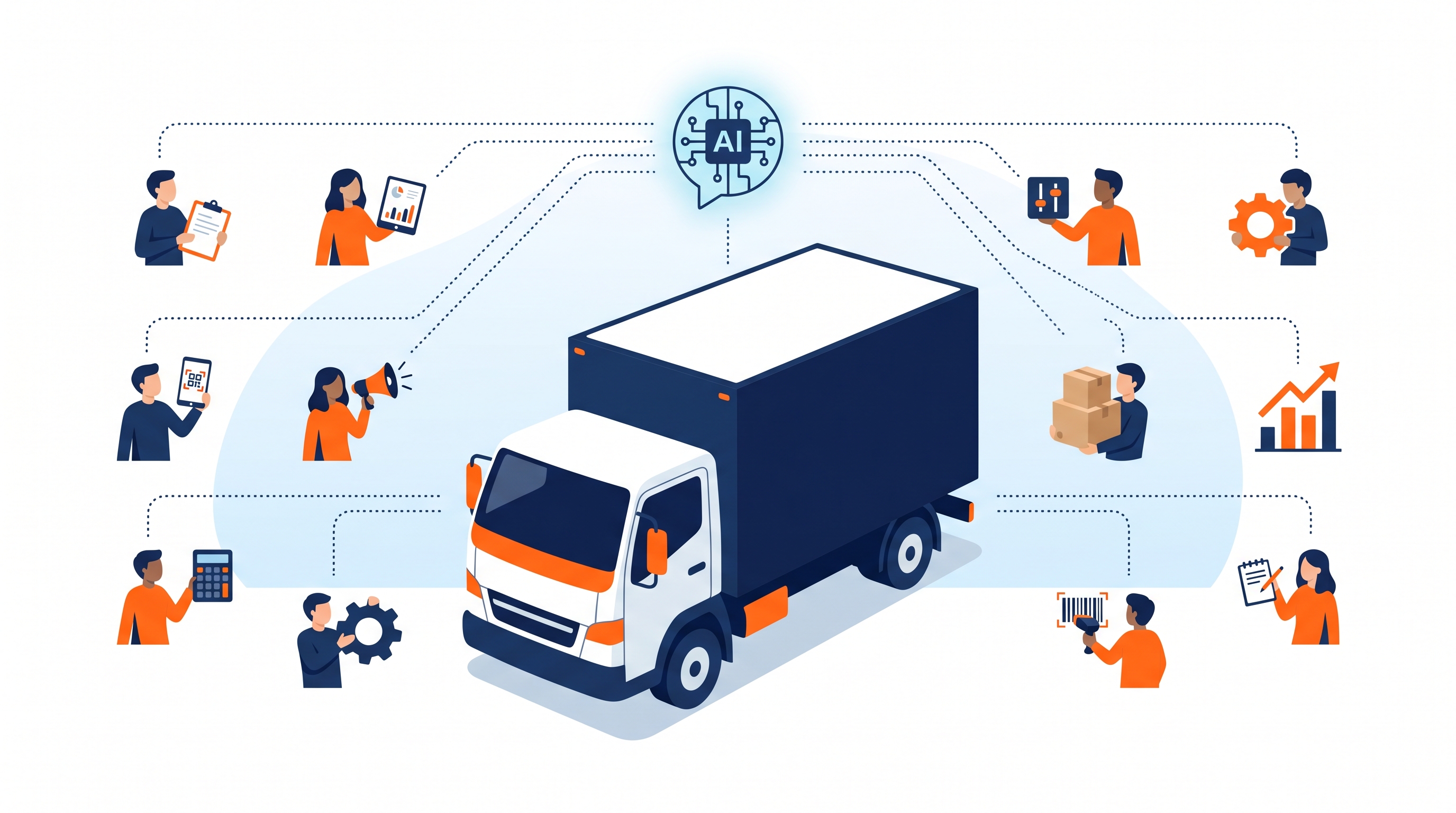
A modern moving company is not one job. It is roughly ten jobs that share a customer record — sales, marketing, surveying, operations, dispatch, crew, billing, warehouseman, plus the two roles that own the chain of custody on QR-coded digital inventories, and an admin layer on top. Each role sits inside a different part of the moving CRM for a different reason, and each role asks a different kind of question when it gets stuck. A sales rep wants to know which lead-tag to apply to a Friday-night lead with no email. A dispatcher wants to know which crew to assign to a two-truck job with one new lead and one bull. A warehouseman wants to know which vault is half-empty and which long-term storage shipment is due for a follow-up. A bookkeeper wants to know why a Movegistics AR aging report disagrees with QuickBooks by $1,182.
For decades the only way to answer those questions was an experienced owner. The owner kept ten roles in their head, walked the floor, and unstuck whichever role was stuck that hour. When the owner went on vacation, the company slowed down. When the owner hired a new sales rep, that rep took six weeks to get useful — most of it spent watching the owner’s screen. When the owner promoted a crew lead into dispatch, that crew lead took a quarter to settle in. The operator’s ceiling was the owner’s calendar.
The Movegistics AI Coach is a purpose-built AI coaching suite for the moving industry, and it is structured the way the work is actually structured — as ten role-based coaches, each grounded in the part of the CRM that role uses every day. Every coach is backed by the same shared knowledge base — 1,000+ pages of verified Movegistics documentation, the Outcome Canon (420+ feature-to-outcome mappings), 77 pre-built automation rules across 23 triggers in 9 modules, an 18-guide knowledge base, and 160+ real-world teaching scenarios. Each coach goes deep on a single role and hands off cleanly to the next coach when a workflow crosses roles. The result is the first version of the moving company where the owner’s bandwidth stops being the ceiling.
This article walks through the ten roles, what the coach for each role knows and does, and what each role’s payback looks like inside an operating moving company. Read it with your org chart open.
Why Role-Based AI Coaching Is the Right Pattern for Moving
Most general AI assistants are built for office knowledge work — drafting emails, summarizing meetings, writing memos. A moving company is not office knowledge work. It is a tightly choreographed handoff across ten roles, where the customer record is the spine, the truck is the moving deliverable, and the calendar is unforgiving. A general assistant that knows everything about everything is shallow on the specific knowledge each role needs to do its job today.
Role-based AI coaching solves three problems at once. First, depth: each coach goes all the way to the bottom of the workflow that role owns — every setting, every report, every Lead Tag, every automation. Second, language: each coach speaks the role’s vocabulary — a Sales AI Coach uses the words a sales rep uses (Estimate, Lead Source, AI Move Summary, close rate), and a Crew AI Coach uses the words a crew lead uses (BOL, signature, exception code, condition photo). Third, handoff: because every coach is reading from the same CRM, a sales close that becomes an operations dispatch that becomes a crew assignment moves smoothly across coach boundaries — no re-explaining, no losing context, no double entry.
The structural insight is that a moving company is a multi-role system, so the AI that coaches it should be a multi-coach system — not a single model trying to do ten jobs.
The 10 Roles That Run a Modern Moving Company
Before going deeper into each coach, here is the shape of the org and the role each coach is built for. The order below is the order a move typically flows through — from the first marketing impression to the moment items leave the long-term warehouse for delivery.
- AI Admin Coach — for the owner, ops manager, or settings administrator who configures the CRM, manages users, builds Lead Sources, sets automation rules, and runs the company-wide reports.
- AI Sales Coach — for the sales rep working the lead-to-booking funnel: lead intake, qualification, AI virtual survey hand-off, estimate build, follow-up cadence, and close.
- AI Marketing Coach — for the marketer running paid channels, organic lead sources, review acquisition, referral tracking, and lead-source contribution analysis.
- AI Surveyor Coach — for the in-home or virtual surveyor running HomeSurvey.ai sessions, reviewing AI-detected inventories, and producing the AI Move Summary that drives crew sizing.
- AI Operations Coach — for the ops manager who runs dispatch, crew assignments, route load balancing, and same-day exception handling across the fleet.
- AI Crew Coach — for the crew lead and crew on move day: BOL flow, mobile crew app, exceptions, condition photos, signatures, and post-move closeout.
- AI Billing Coach — for the bookkeeper and AR clerk running invoicing, QuickBooks reconciliation, declined-payment recovery, and storage-month billing cycles.
- AI DI Dispatch Coach — for the dispatcher running the Digital Inventory side of operations: pushing Work Orders into Movegistics QR Digital Inventories, scheduling QR-label print runs, and managing dynamic shipment stages.
- AI DI Local Crew Coach — for the local-crew lead operating the MI mobile app on move day: scanning, photographing, signing the carrier handoff, and closing out the chain of custody.
- AI Warehouseman Coach — for the warehouse manager running vault assignments, the 2D warehouse map, storage manifests, long-term storage and SIT, and warehouse inventory tracking.
— Adarsh Dattani, Founder, Movegistics AI
Inside Each AI Coach — What It Knows, What It Does
Each coach below is summarized along three dimensions: the part of the CRM it owns, the kind of question it answers, and the outcome it is mapped to in the Outcome Canon. These are the practical handles operators care about when picking which coach to roll out first.
AI Admin Coach
The Admin coach knows the configuration layer of the CRM — user roles, Lead Sources, Lead Tags, automation triggers, custom questionnaire branches, company-wide settings, and the report library. The owner or ops manager uses it for questions like “how do I add a new branch office”, “which automation rule is currently firing on the Repeat-Customer tag”, and “what permission do I give a seasonal hire so they can run estimates but not edit pricing.” Outcome mapping: setup time per new hire, automation coverage across modules, and the ratio of owner-touch settings vs. self-serve settings.
AI Sales Coach
The Sales coach owns the lead-to-booking funnel. It knows the lead intake workflow, the questionnaire branching, the AI Move Summary, the Estimate builder, and the close-rate plays the operator has activated. Reps ask it “this lead came in at 7 p.m. without an email, which Lead Tag matters” or “the customer says they want to think about it, which follow-up cadence have I configured for high-value moves.” Outcome mapping: close rate, time-to-quote, lead-to-booking conversion by source, and AI virtual survey completion rate.
For the sales role specifically, HomeSurvey.ai covers what AI virtual surveys change for a sales team — response time, quote accuracy and the number of jobs a rep can quote in a day.
AI Marketing Coach
The Marketing coach owns the lead source layer — paid channels, organic, referral, review, and partner inputs — and the contribution analytics that go with them. Marketers ask it “which lead source had the highest contribution margin last quarter”, “which review-acquisition rule is firing on completed moves”, and “what is the customer-acquisition cost on the Google Ads campaign vs the local SEO campaign.” Outcome mapping: cost per booked move by source, review velocity, organic lead-source mix, and lead-source contribution margin.
AI Surveyor Coach
The Surveyor coach owns the AI virtual survey workflow — HomeSurvey.ai sessions, the dashboard review step, the AI Move Summary, and the handoff into the Estimate. Surveyors ask it “this customer’s video had a partial garage view, which item categories should I expect to be undercounted”, “the AI recommended a 3-person crew but the access is tight, how do I override safely”, and “how do I attach voice-note exclusions to a specific item.” Outcome mapping: survey-to-quote turnaround, survey completion rate, AI Move Summary acceptance rate, and pre-survey lead conversion.
AI Operations Coach
The Operations coach owns dispatch — truck and crew assignments, route load, calendar conflicts, same-day exceptions, and the dispatcher’s daily report. Operations managers ask it “which crew is over-utilized this week”, “which truck is closest to the 3 p.m. add-on the dispatcher just took”, and “what is the right crew size for a 4-bedroom long-distance move with an antique piano.” Outcome mapping: crew utilization, on-time start rate, daily revenue per truck, and same-day exception resolution time.
AI Crew Coach
The Crew coach owns the move-day workflow inside the mobile crew app — BOL flow, signatures, exception capture, condition photos, fuel and travel logging, and the post-move closeout. Crew leads ask it “the customer wants to add a piece mid-load, how do I capture that without breaking the inventory”, “where do I attach the photo for the chipped tabletop I just found”, and “how do I close out the move if the customer is not on-site for the final signature.” Outcome mapping: BOL completion rate, exception-capture rate, condition-photo coverage, and post-move closeout time.
AI Billing Coach
The Billing coach owns invoicing, payments, AR aging, and QuickBooks reconciliation. Bookkeepers ask it “why does AR aging disagree with QuickBooks by $1,182”, “which declined payment rule should I run on the storage-month decline batch”, and “how do I bill a SIT customer for the partial month at the front of the storage cycle.” Outcome mapping: AR days, declined-payment recovery rate, storage-month billing accuracy, and CRM-to-accounting reconciliation time.
AI DI Dispatch Coach
The DI Dispatch coach owns the dispatcher’s Digital Inventory work — the gold CREATE SHIPMENT IN MOVER INVENTORY button, the dynamic stages on a shipment, the QR label print queue, and the dispatcher’s view of the chain of custody. DI dispatchers ask it “this job picked up two extra items mid-day, how do I add them to the existing shipment without restarting stages”, “how do I schedule the next QR label print run for tomorrow’s three SIT moves”, and “what does the dispatcher see when a crew misses the carrier-signature step.” Outcome mapping: shipment-creation time per Work Order, QR-label coverage on dispatched moves, dynamic-stage usage rate, and dispatcher-to-MI handoff completion rate.
AI DI Local Crew Coach
The DI Local Crew coach is the move-day Digital Inventory specialist — it owns the MI mobile app, the scan-and-photograph flow, the storage and delivery handoff stages, and the carrier and customer signatures that close the chain of custody. Local-crew leads ask it “the QR label peeled off in the rain, how do I re-tag the item without breaking the scan history”, “I missed the carrier signature on the loading stage, how do I capture it now”, and “the customer is not at the destination, how do I close out delivery with a witness signature.” Outcome mapping: items scanned per shipment, photo coverage, signature completion rate, and chain-of-custody close-out rate.
AI Warehouseman Coach
The Warehouseman coach owns the warehouse layer — the Mover Storage CMS, the 2D warehouse map, vault assignments, aisles, climate-controlled and hazmat zones, storage manifests, and long-term storage and SIT visibility. Warehousemen ask it “which vault still has 40 cubic feet of climate-controlled space available”, “which long-term storage shipment is due for the 90-day review”, and “how do I move 12 items from Vault A-12 to Vault B-04 without breaking their MI shipment history.” Outcome mapping: vault utilization, storage manifest accuracy, long-term storage retention, and warehouse-to-MI shipment continuity.
Each coach is grounded in the part of the CRM that role uses every day — and every coach reads from your own tenant, so the answers are in your operator’s language, not generic moving terms.
Role-by-Role Comparison — Knowledge Depth, Common Asks, Outcomes
The same ten coaches summarized side by side. Use this as the quick-reference for which coach belongs to which role and what outcome each one is mapped to in the Outcome Canon.
| Role / AI Coach | Knowledge Depth (CRM Area) | Representative Question | Primary Outcome (Outcome Canon) |
|---|---|---|---|
| Admin Coach | Settings, users, Lead Sources, Lead Tags, automations, reports | Which automation is firing on Repeat-Customer Tag? | Setup time per new hire; automation coverage |
| Sales Coach | Lead intake, questionnaire branches, AI Move Summary, Estimate, follow-up | Which Lead Tag fits a 7 p.m. lead with no email? | Close rate; time-to-quote |
| Marketing Coach | Lead Sources, paid channels, reviews, referrals, contribution analytics | Which source has the highest contribution margin? | Cost per booked move; review velocity |
| Surveyor Coach | HomeSurvey.ai sessions, dashboard review, AI Move Summary, exclusions | The garage view was partial — what’s undercounted? | Survey-to-quote turnaround; AI Move Summary acceptance |
| Operations Coach | Dispatch, crew assignment, route load, daily report | Which crew is over-utilized this week? | Crew utilization; on-time start rate |
| Crew Coach | Mobile crew app, BOL, signatures, exceptions, condition photos | Customer added a piece mid-load — how do I capture it? | BOL completion rate; exception coverage |
| Billing Coach | Invoicing, payments, AR aging, QuickBooks reconciliation | Why does AR disagree with QuickBooks by $1,182? | AR days; declined-payment recovery |
| DI Dispatch Coach | Movegistics QR Inventory shipment creation, dynamic stages, QR label queue | How do I add two items to an in-progress shipment? | Shipment-creation time; QR-label coverage |
| DI Local Crew Coach | MI mobile app, scans, photos, carrier & customer signatures | QR label peeled off — how do I re-tag without losing history? | Items scanned per shipment; signature completion |
| Warehouseman Coach | 2D warehouse map, vault assignments, storage manifests, SIT | Which vault has 40 cu ft climate-controlled available? | Vault utilization; long-term storage retention |
| Shared knowledge base across all ten coaches | 1,000+ docs · 420+ outcomes · 160+ scenarios | ||
How Role-Based Coaching Compounds Across Your Org
The single coach that helps the most is the one mapped to your bottleneck. The ten coaches together unlock something different. Because every coach reads from the same CRM, a question that starts in one role can flow into the next role’s coach without losing context. A high-value lead enters the funnel; the Sales coach helps the rep close it. The dispatcher inherits the booked move; the Operations coach assigns the right crew. The crew lead executes; the Crew coach guides the BOL and signatures. The dispatcher closes the Work Order to a QR shipment; the DI Dispatch coach manages the chain of custody. The warehouseman receives the storage stage; the Warehouseman coach assigns the vault. The bookkeeper runs storage-month billing; the Billing coach reconciles to QuickBooks. Each coach hands off the next role’s coach a record that is one step further along — no re-explaining, no double entry, no email threads asking the owner to clarify.
This is the practical version of what was previously only true when the owner walked the floor. The owner stitched ten roles together by being physically present. The ten coaches stitch them together by sharing a CRM. The first version of this is unstuck individual roles; the compounded version is an operating moving company that runs without the owner’s bandwidth as the ceiling.
Strategy Mode — When the Coach Becomes a Business Advisor
The default mode for each coach is task and question — the operator asks how to do something, and the coach answers with the steps, the right setting, or the right report. Strategy Mode is a separate mode that runs alongside the ten coaches and is activated by the way the operator phrases the question. Business-situation questions — “where is my margin leaking,” “which lead source is unprofitable,” “what would happen if I raised hourly rate by 7%” — shift the coach into Strategy Mode automatically. In Strategy Mode the coach pulls aggregated CRM data and answers business-advisor questions — close-rate leakage, crew over-utilization, lead-source contribution margin, the financial impact of a 7% rate increase. Strategy Mode is what turns the coach from a help-desk replacement into a daily lever on margin. There is more on Strategy Mode in the AI Coach page, and a dedicated walkthrough is coming up next in this series.
Training Mode vs. Day-to-Day Coaching
New hires get Training Mode — a structured 8-phase onboarding curriculum that walks them through their role’s workflows step-by-step, inside their own CRM tenant, with their own data, their own crews, their own lead sources. Training Mode compresses the time-to-productive from weeks to days for sales and dispatch hires in particular. Once the hire is past Training Mode, the same role’s coach stays on as the daily reference. Existing operators with experienced teams skip Training Mode and use the coaches as a senior-operator-in-a-chat — the answer at 7 a.m. that used to require paging the owner.
Common Questions Operators Ask Before Rolling Out an AI Coach
The ten-coach pattern is new, and operators tend to ask a similar set of questions before activating it. The eight questions below are the most common — pulled from the operator conversations in the AI Coach intake. Detailed answers in the FAQ block below.
- What is an AI coach for a moving company?
- Why ten coaches instead of one general assistant?
- Which coach do I roll out first?
- How does Strategy Mode differ from the other modes?
- Do the coaches replace training and onboarding?
- Are the coaches built on ChatGPT or a generic LLM?
- What is the Outcome Canon and why does it matter?
- Can the coaches be customized per operator?
Frequently Asked Questions About the Movegistics AI Coach Suite
What is an AI coach for a moving company?
An AI coach for a moving company is a role-specific assistant trained on a moving CRM’s workflows, data model, automations, reports, and operating playbooks — so the person sitting in that role can ask a question in plain English and get the right step, the right report, or the right next action without paging through help docs. The Movegistics AI Coach is a suite of ten role-based coaches (Admin, Sales, Marketing, Surveyor, Operations, Crew, Billing, DI Dispatch, DI Local Crew, Warehouseman) backed by 1,000+ pages of verified Movegistics documentation, 420+ feature-to-outcome mappings, 77 pre-built automation rules across 23 triggers in 9 modules, and 160+ real-world teaching scenarios. Each coach knows the part of the platform that role uses every day.
Why have ten separate AI coaches instead of one general assistant?
Because a moving company is not one job — it is ten jobs that share a customer record. A sales rep needs a coach that knows the lead-to-booking workflow, the questionnaire branches, the AI Move Summary, and the close-rate plays. A dispatcher needs a coach that knows truck assignments, crew availability, route load, and the gold CREATE SHIPMENT IN MOVER INVENTORY button. A warehouseman needs a coach that knows vault assignments, the 2D warehouse map, and the Mover Storage CMS. One general assistant has to keep all of those domains in its head at once and is shallow on every one. Ten role-based coaches each go deep on a single role — and because every coach reads from the same CRM, they hand off to each other cleanly when a workflow crosses roles.
Which AI coach do I start with?
Start with the role that has the highest payback in your operation. For most residential operators, that is the Sales AI Coach (close rate is the leverage point) or the Operations AI Coach (dispatch and crew utilization are the leverage points). For storage-heavy operators, the Warehouseman AI Coach pays back fastest because vault-level visibility and the 2D warehouse map are immediate productivity wins. For multi-truck operators with active claims volume, the DI Dispatch and DI Local Crew coaches close the loop on QR-coded chain of custody fastest. Most operators activate the full suite within 30 days because the coaches reinforce each other — a sales close becomes an operations dispatch becomes a crew assignment, and each role’s coach sees the next step.
How does Strategy Mode differ from the other AI coach modes?
The default mode of each AI coach is task-and-question mode — the operator asks how to do something inside the CRM, and the coach answers with the specific steps, the right setting, or the right report. Strategy Mode is a separate mode that flips the coach from a help-desk replacement into a business advisor. In Strategy Mode the coach pulls aggregated data from the CRM and answers questions like “where is my close rate leaking?”, “which crew is over-utilized?”, “which lead source has the highest contribution margin?”, and “what would happen if I raised hourly rate by 7%?”. Strategy Mode runs alongside the other ten coaches and is activated by the way the operator phrases the question — business-situation questions (“where is my margin leaking”, “which lead source is unprofitable”) shift the coach into Strategy Mode automatically.
Do the AI coaches replace training and onboarding?
They do not replace structured onboarding — they compound it. Training Mode is the structured 8-phase onboarding curriculum that walks a new hire through their role’s workflows step-by-step inside their own CRM data. Once a hire is past Training Mode, the coach stays on as a daily reference. The pattern operators see is that Training Mode compresses the time-to-productive from weeks to days for sales and dispatch hires, and the coaching mode keeps that productive curve from slipping back as workflows evolve. Existing operators with experienced teams skip Training Mode and use the coaches as senior-operator-in-a-chat — a way to get an experienced answer at 7 a.m. without paging the owner.
Are the AI coaches built on top of ChatGPT or a generic LLM?
The Movegistics AI Coach suite is built as agentic AI that uses leading LLMs but is grounded on a private, verified knowledge base — 1,000+ pages of Movegistics documentation, the Outcome Canon (420+ feature-to-outcome mappings), the Scenario Library (160+ real-world teaching scenarios), and a per-role playbook. The grounding is what makes the coaches reliable inside the CRM — they do not hallucinate features that do not exist, they do not invent step counts, and they do not reference modules from competitor products. The platform layer also handles privacy and tenant isolation so one operator’s data never appears in another operator’s coaching session.
What is the Outcome Canon and why does it matter?
The Outcome Canon is the Movegistics-internal map of 420+ feature-to-outcome mappings — each CRM capability paired with the operator outcome it produces (close rate, claim rate, dispatch efficiency, AR days, customer satisfaction, margin per move, etc.). It is how every AI coach grounds its answer in a business result rather than a feature description. When the Sales AI Coach explains how to use Lead Tags, it cites the close-rate lift the tag is built to produce. When the Operations AI Coach walks through dispatch settings, it cites the crew-utilization gain. The Outcome Canon is also the reason the coaches can speak the operator’s language — every feature is one click away from the number it moves.
Can the AI coaches be customized per operator?
Yes. Every coach reads from the operator’s own CRM tenant — the lead sources, the crews, the warehouses, the lead tags, the automation rules, and the report views that operator has built. The coaches answer in the operator’s terms, not in generic moving-industry terms. The shared layer is the Movegistics product knowledge and the Outcome Canon; the per-operator layer is the operator’s actual data and configuration. For enterprise operators with custom workflows, additional playbook overlays can be added through the platform’s configuration so the coach reflects the operator’s specific way of working.
See the ten role-based coaches in action
Walk through the Movegistics AI Coach suite with a real CRM tenant. We will show the Sales coach, the Operations coach, the DI Dispatch coach, and Strategy Mode — and you can take it apart to see how the Outcome Canon connects every feature to a business result.
Book a Demo
Typical demo: 30 minutes · For movers of every size · Built by movers, for movers