Moving Storage Software: How a 2D Warehouse Map and QR Vault Tracking Maximize Revenue Per Square Foot
Walk into the warehouse of any moving company that has been in business for more than a decade and you will find the same scene. A printed spreadsheet on a clipboard. A wall map drawn in marker. A binder labeled “VAULTS” with handwritten customer names and dates. A storage manager who knows the vault layout by memory and is the single point of failure for the entire storage operation. Storage works, because it has to. But it works the way it worked in 1995 — and the moving companies that have left their storage operations stuck in 1995 are leaving the highest-margin segment of their business sitting on the table.
Storage is the most undervalued profit center in the moving industry. The unit economics are exceptional: once a customer’s items are in your warehouse, you collect recurring monthly revenue with virtually no marginal cost of delivery — until the customer schedules retrieval. Storage-in-transit (SIT) customers, long-term storage clients, military families with extended assignments, designer-services clients warehousing fine art and antiques — all of them generate compounding monthly revenue with margin profiles that crush single-touch moves. And yet most moving companies run their storage operations on spreadsheets and clipboards, which caps growth at whatever the storage manager can hold in their head and leaks revenue every time a vault gets misplaced, an invoice slips, or a high-value customer can’t see their items.
The fix is purpose-built moving storage software — a warehouse management system designed for the realities of moving company storage rather than generic e-commerce fulfillment. The Movegistics Digital Warehouse is the first and only interactive 2D warehouse management system built for movers: a drag-and-drop visual layout of every vault, rack, sofa rack, and shelving unit in the operation; QR-coded vault and rack tracking that ties each storage location to specific customer items; automated recurring billing that converts storage from a manual back-office cost center into a recurring-revenue line; real-time occupancy dashboards and analytics; customer-portal access so storage clients can see their items; and Open API for integration with existing CRM and accounting stacks. Operators worldwide who have moved their storage off spreadsheets and onto the Digital Warehouse report higher revenue per square foot, fewer miscount errors, faster vault retrieval cycle times, and storage growing as a percentage of total revenue every quarter.
This article walks through what modern moving storage software does, how it pairs with the survey-and-inventory chain to close the loop on SIT moves, and what the cumulative effect looks like on revenue per square foot, AR aging, and the customer experience that wins designer-services and high-value storage contracts. Read it with your own warehouse layout in mind.
— Adarsh Dattani, Founder, Movegistics AI
Why Storage Is the Most Underweighted Profit Center in the Moving Industry
Most moving company owners can recite their close rate on residential local moves to two decimal places. Few can tell you the exact revenue per square foot their warehouse generates last quarter. Even fewer can tell you the percentage of storage clients who have been with them for more than 24 months versus the ones who churned out at month four. The data isn’t there because the system isn’t there. Spreadsheet-based storage produces operational throughput; it doesn’t produce the analytics that show owners where the storage business is actually growing or leaking.
Storage is structurally the highest-margin segment in moving because the marginal cost of an additional storage month, on an already-warehoused customer, is close to zero. The cost of square footage is sunk. The handling cost is zero until retrieval. The labor is sunk. The recurring invoice runs by itself once it’s configured. Compared to the variable-cost intensity of a residential move (truck, fuel, crew hours, packing materials, claims exposure), storage revenue is structurally cleaner. Owners who instrument their warehouse properly find that storage compounds in ways no single-touch move ever can — and the operators who never instrument it never see the segment grow past the manager’s mental capacity for vault layouts.
The Storage Margin Leaks Spreadsheet-Based Warehouses Can’t Plug
Before purpose-built software fixes them, here are the margin leaks that show up in virtually every spreadsheet-based storage operation. Like move-day leaks, none are dramatic in isolation — they erode revenue slowly until the owner wonders why the storage segment never grows past a ceiling.
- Single point of failure on the warehouse manager. The vault layout lives in one person’s head. When they take vacation, retire, or leave, the operation degrades immediately. New hires take months to ramp because there is no visual system to learn.
- Misplaced vaults and pulled-wrong-customer events. Spreadsheet-based vault assignment relies on accurate manual data entry. Misplaced vaults trigger claims, customer escalations, and emergency retrievals — all of which destroy margin and erode trust.
- Slipped recurring invoices. Storage customers get billed manually from a spreadsheet. The clerk runs invoices monthly. Some get missed. AR ages. Months later the operator discovers $4,000 of unbilled storage revenue. Cash that should have collected sits ghosted on the spreadsheet.
- Suboptimal space utilization. Without a visual layout, the warehouse manager can’t see at a glance which zones are underutilized vs overpacked. New vaults get placed wherever there’s an obvious gap rather than where the access path is optimal. Revenue per square foot caps below what the physical space could support.
- No customer visibility into stored items. Customers calling to ask “what’s in my vault again?” cost time and erode confidence. Designer-services clients and military families with extended SIT particularly suffer from the lack of transparency. Some churn out at month three or four when the lack of visibility makes them feel like their items are forgotten.
- No analytics on revenue per square foot or churn. The owner can’t tell which zones generate the most recurring revenue, which customer segments have the lowest churn, or which storage tier (commodity SIT vs designer vs climate-controlled) is most profitable. Strategic decisions about expanding the warehouse, adding climate-controlled space, or raising rates are guesswork.
- Manual reconciliation between storage records and the CRM. A SIT move where the items are in the warehouse exists in two systems: the CRM (showing the customer’s job history) and the storage spreadsheet (showing what’s in the vault). The two never auto-sync. When something moves, somebody has to remember to update both. The desync compounds quietly into operational drag.
| Storage Operation Capability | Spreadsheet-Based Warehouse | Generic WMS (e-Commerce / Pallet) | Movegistics Digital Warehouse |
|---|---|---|---|
| Vault layout visualization | Marker on wall map or memory | List view, not visual | Interactive 2D drag-and-drop map |
| Vault QR labeling | None or handwritten tags | Pallet-oriented, not vault-oriented | Native vault, rack, sofa rack, shelving QR generation |
| Optimal access path | Manager’s memory | Not a moving-industry concept | Pre-calculated for forklift retrieval |
| Recurring billing | Manual, slips often | Available, but not moving-specific | Automated, with QuickBooks sync and reminders |
| CRM integration | Manual reconciliation | Custom API build | Native Movegistics CRM + Open API for others |
| Customer portal visibility | None | Rare | Native portal showing items, vault, photos, billing |
| SIT (storage-in-transit) workflow | Manual reconciliation between systems | Not designed for SIT | Native MI ↔ Mover Storage bridge with QR continuity |
| Designer-services support | Add a note in spreadsheet | Generic high-value tracking | Zone-based pricing tiers + item-level precision |
| Analytics dashboards | Manual report from spreadsheet | e-Commerce KPIs, not storage | Revenue per sq ft, occupancy, vault aging, churn |
| Combined effect on storage P&L | Higher rev/sq ft · cleaner AR · lower churn | ||
A 30-minute demo on your warehouse layout — SIT, long-term, designer-services, military.
The Movegistics Storage Chain — From Move Day to Recurring Revenue
The Movegistics Digital Warehouse is not a standalone storage tool. It is the long-tail revenue layer in a chain that runs from AI virtual survey through estimate, dispatch, Mover Inventory, the Crew App on move day, and the warehouse — and then loops back through retrieval and delivery whenever a storage client schedules out. Here is what the chain looks like end-to-end on a typical SIT move where the customer stores for 14 days between origin and final destination.
Step 1 — Warehouse setup and 2D layout
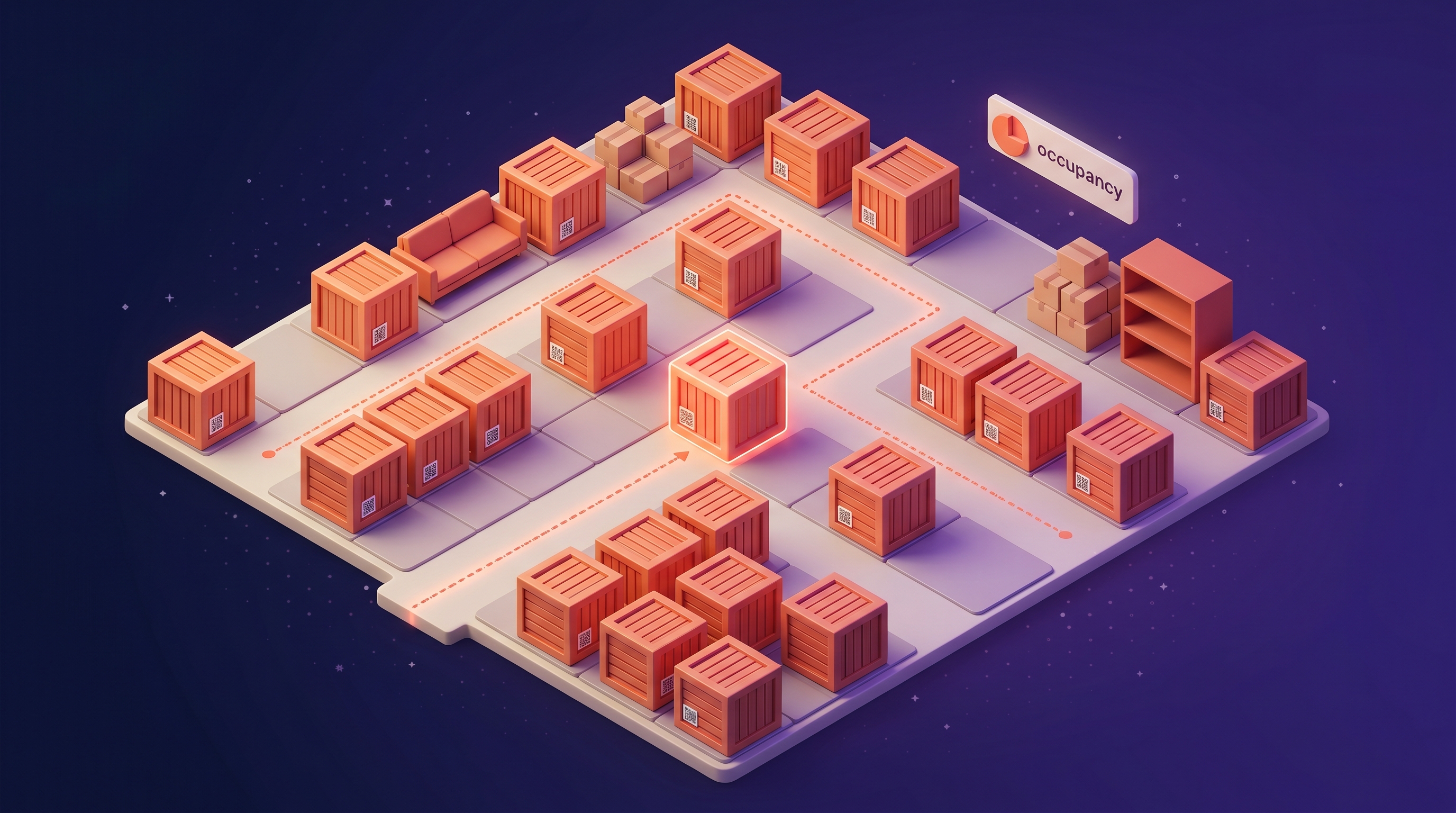
Before any customer items arrive, the warehouse is configured in the Digital Warehouse 2D editor. Vaults, racks, sofa racks, overflow bays, and shelving units are placed on a visual grid that mirrors the physical warehouse. Each storage location is generated with a unique QR label that gets printed and affixed. Optimal access paths are pre-calculated per vault — so a forklift operator pulling vault A-37 knows the cleanest route through the warehouse without trial and error. The 2D map can be reorganized at any time via drag-and-drop, and a full history of every layout change is preserved for audit. (The room list, unit types, and tag taxonomy can also be pre-configured here — see the AI Coach guide on Mover Storage for the full configuration matrix.)
Step 2 — Items arrive at the warehouse
On a SIT move, the crew finishes loading at origin (with the QR-coded inventory captured via Mover Inventory) and drives the items to the warehouse. The crew unloads, scans each item into the assigned vault location via the QR code, and the Digital Warehouse’s 2D map updates in real time. The MI ↔ Mover Storage bridge handles the assignment automatically — the same QR codes that captured the items at origin now anchor them in the warehouse map. No double-entry. No paper manifest. The storage shipment is now visually represented on the 2D map, and every item is precisely located.
Step 3 — Storage period begins, recurring billing kicks off
An auto-generated storage manifest summarizes the contents of the customer’s storage shipment. Recurring billing initiates based on the configured rate tier (commodity SIT, designer-services, climate-controlled, military) and any vault-tier surcharges. The customer receives access to the customer portal — a branded view showing their items in storage, with photos captured at warehouse arrival, the vault they’re in (or a privacy-controlled view depending on operator preference), recurring billing status, and a self-serve retrieval request workflow. Designer-services and high-value clients get item-level visibility; commodity SIT clients get a summary view.
Step 4 — Monthly operations and recurring revenue
From this point, the storage operation runs largely on autopilot. Recurring invoices generate and send automatically each billing cycle, with QuickBooks AR sync handling the accounting side. Payment reminders push to the customer-portal email when invoices age. Occupancy dashboards show the operations manager which zones are at capacity vs which have free space, supporting strategic decisions about expansion or rate adjustments. Dynamic alerts flag overbooking risks before they become operational problems. The owner can pull revenue-per-square-foot reports across any time window. None of this requires manual intervention beyond the initial setup.
Step 5 — Retrieval request
The customer schedules retrieval (via the customer portal, a phone call, or an operator-initiated workflow). The forklift operator pulls up the customer’s shipment in the Digital Warehouse app, sees the vault location on the 2D map, and uses the pre-calculated optimal access path to retrieve. They scan the vault’s QR code to confirm pull, and the system logs the retrieval event. If the move is a delivery-out, the items load to a delivery truck. If the move is a partial retrieval (the customer wants a few items but the rest stay in storage), the system handles the partial workflow without disrupting the recurring billing on the remaining items.
Step 6 — Delivery and storage close-out
On the delivery day, the crew arrives at the destination with the items previously stored. The Crew App captures the delivery — items scan off the truck, condition photos at destination, customer signature, and the storage shipment closes out. Recurring billing stops automatically. The final invoice generates and syncs to QuickBooks. The customer-portal view updates to show “shipment completed” with a full history of the storage period. The chain of custody — from AI virtual survey at the start, through QR-coded origin loading, vault assignment, storage period, retrieval, and delivery signature — is closed and archived as a complete, defensible record.
Why the 2D Warehouse Map Is the Industry-First Difference
Every other WMS in the moving-adjacent market either treats storage as a list of records (no spatial visualization) or treats it as a generic warehouse with pallet racks (the wrong physical model). The Movegistics Digital Warehouse is the first interactive 2D warehouse management system that actually mirrors how a moving company warehouse is physically organized — vaults, racks, sofa racks, overflow bays, shelving units, designer/climate zones — and lets the operator manipulate the layout visually.
What this enables in practice: a warehouse manager can see at a glance that the third zone is at 90% capacity while zone five is at 40%. They can drag a sofa rack to a better access location without rewriting a spreadsheet. They can identify a path obstruction visually and route around it. They can train new staff on the layout by handing them an iPad rather than walking them through a binder. They can show an owner the warehouse occupancy in a single screen. None of this is possible with spreadsheet-based or list-only systems.
The deeper effect is that the warehouse becomes legible to the entire organization — not just the manager who keeps it in their head. The owner sees the operation. The dispatcher sees occupancy. The sales rep sees capacity when quoting new storage contracts. The forklift operator sees the access path. Legibility scales — single-point-of-failure systems don’t.
The Numbers: Movegistics Digital Warehouse vs Spreadsheet Storage
The chain-of-custody story is the strategic case. The numbers are the financial case. Operators who have moved their storage operations to the Movegistics Digital Warehouse report the following gains.
| Metric | Spreadsheet Storage Baseline | Movegistics Digital Warehouse |
|---|---|---|
| Vault layout visualization | Wall map or memory | Interactive 2D, accessible to all roles |
| Miscount / mispulled vault events | Common | Eliminated via QR scan-out |
| Recurring billing slippage | Manual, missed invoices common | Automated, no slippage |
| AR aging on storage | Months of unbilled drift | Real-time QuickBooks sync |
| Customer “is my stuff there?” calls | Frequent | Cut materially via customer portal |
| New-hire ramp time on warehouse layout | Weeks to months | Days (visual map is self-teaching) |
| SIT system integration | Manual reconciliation across CRM + storage | Native MI ↔ Mover Storage bridge |
| Revenue per square foot visibility | Hard to calculate | Dashboard report, on demand |
| Designer-services / high-value support | Notes in spreadsheet | Zone-based tiers, customer-portal item visibility |
| Storage growth as % of revenue | Capped by manager’s mental bandwidth | Compounds as instrumentation scales |
One SIT Move, End-to-End — A Worked Example
To make the chain concrete, here is one SIT job as it flows through Movegistics with the Digital Warehouse in place.
- Day 1 — Lead intake. Customer in Dallas needs a long-distance move to Seattle with 14 days of storage between origin and destination (they’re closing on the destination home mid-month). AI virtual survey runs. 142 items detected at 93% accuracy. Estimate generated with SIT line items priced separately from the move itself.
- Day 8 — Dispatch. Work Order dispatched. CREATE SHIPMENT IN MOVER INVENTORY gold button pushes the 142 items to MI as QR-ready inventory. Storage stage configured in the shipment.
- Day 10 — Loading at origin. Crew loads the home. Every item QR-scanned at origin with condition photos. Customer signs the BOL via the Crew App. Truck rolls.
- Day 10 evening — Warehouse arrival. Truck arrives at the Dallas warehouse. Crew unloads into Vault B-22 and Vault B-23 (the system pre-assigned based on the items’ volume and the vault availability shown on the 2D map). Each item scans into the vault. The 2D map updates: B-22 and B-23 now show the customer’s name and item count. Storage manifest auto-generates. Recurring storage billing initiates at the configured 14-day rate.
- Day 10 evening — Customer portal access. Customer receives portal invite via email. Logs in on phone. Sees both vaults with photos of items captured at warehouse arrival, the storage rate, the expected delivery date, and a self-serve retrieval scheduling option.
- Days 11–23 — Storage period. Items sit in vaults. Customer logs into portal twice during the 14 days to check status. No “where’s my stuff” call to the office. Recurring billing accrues automatically.
- Day 22 — Delivery scheduling. Customer schedules destination delivery via the portal for Day 25. Operations confirms.
- Day 25 — Retrieval and load-out. Forklift operator opens the Digital Warehouse app, pulls up the customer’s storage shipment, sees Vault B-22 and B-23, uses the optimal access path to retrieve. Scans both vaults at pull-out. Items load to the long-distance delivery truck. Storage period closes.
- Day 26 — Delivery at destination. Crew unloads in Seattle. Every item scans off the truck. Condition photos at delivery. Customer signs final receipt. Storage shipment closes. Final invoice generates with the 14-day storage line item, syncs to QuickBooks.
- Day 60 — Repeat referral. Customer’s colleague is moving and asks who they used. The customer-portal experience during the SIT period was the deciding factor — “I could see exactly where my stuff was the whole time” — and the colleague books on the same call.
That last sequence is where the Digital Warehouse pays for itself beyond the operational gains. Storage operations that historically generated zero customer-experience touchpoints (because the customer is just waiting) become a sales asset when the customer-portal visibility runs throughout the storage period. The trust built during 14 days of “I can see my stuff” becomes a referral generator — and the operator’s storage book of business compounds in ways spreadsheet-based operations never can.
Standalone or Integrated — The Open API Question
Most enterprise moving operators have an existing CRM and an existing accounting stack. The Movegistics Digital Warehouse is built so neither has to be ripped out. The product runs in three deployment modes.
- Standalone. Use the Digital Warehouse as a pure WMS for moving storage, with Open API integration to your existing CRM and QuickBooks. Best for enterprise van-line agents and multi-location operators with custom dispatch tools who want digital storage without changing the rest of their stack.
- Integrated with Movegistics AI. The closed-loop chain of custody — survey → dispatch → MI → warehouse → retrieval → delivery — all in one platform. Best for operators who want the complete end-to-end workflow and the operational simplicity of one vendor.
- Mixed. Some operators run the full Movegistics CRM for moves and use the Digital Warehouse standalone for a separate storage business unit. The Open API supports this hybrid deployment.
The Digital Warehouse also pairs natively with Movegistics Mover Inventory via the MI ↔ Mover Storage bridge, so SIT shipments flow seamlessly between the inventory and storage modules. For operators running both, the bridge is automatic. For operators running MI without Mover Storage, or Mover Storage without MI, each module works independently — though the integrated configuration is where the closed-loop chain of custody really pays off.
Common Pitfalls When Rolling Out Digital Storage Software
Three pitfalls show up repeatedly when operators move storage operations from spreadsheets to a purpose-built WMS. The first is under-configuring the 2D layout at the start. Operators sometimes rush the setup, populate the obvious vaults, and skip the optimal-access-path calculation. The 2D map only delivers its value if the layout accurately reflects the physical warehouse. Spend the half-day to configure it properly — once it’s right, it pays dividends forever.
The second is not issuing customer-portal access to every storage client. Some operators turn the portal on only for designer-services or high-value clients. That’s leaving margin on the table. Every storage customer benefits from portal visibility — including commodity SIT clients, who feel cared-for and are less likely to churn out at month four when the visibility makes them feel their items are being actively managed. Issue portal access to every storage client by default.
The third is not auditing the recurring billing in the first 60 days. The automation only works if the rate tiers, vault assignments, and customer billing flags are configured correctly. Audit the first 30–60 days of auto-generated invoices to catch any configuration issues. After 60 days of clean automation, the recurring revenue runs itself.
How to Roll Out the Digital Warehouse in 90 Days
Sequence the rollout. Storage operations have years of accumulated manual workflow that won’t unwind overnight. Here is a 90-day sequence that operators have run cleanly.
- Week 1. Configure unit types (vault, rack, sofa rack, overflow bay, shelving), build the 2D warehouse layout, calculate optimal access paths, generate and print QR labels for every storage location.
- Week 2. Train the warehouse manager and forklift operators on the Digital Warehouse app — 2D map navigation, QR scan workflow, drag-and-drop layout adjustments.
- Weeks 3–4. Migrate active storage shipments from spreadsheet to the Digital Warehouse. Audit each migration for accuracy — vault assignments, customer billing details, item lists. Issue customer-portal access to each migrated client.
- Month 2. Activate automated recurring billing. Audit the first month of auto-generated invoices for configuration issues. Roll out the customer portal to all clients (existing and new).
- Month 3. Decommission the spreadsheet entirely. Train the sales team to reference the 2D occupancy map when quoting new storage contracts. Train operations to use the dashboards for capacity planning.
- Month 4 onward. Digital Warehouse becomes the only storage system. Recurring revenue compounds. Customer portal becomes a sales asset on new storage quotes. Owner reviews revenue-per-square-foot and churn dashboards monthly.
By day 90, every storage shipment is digitally tracked. By month 6, the recurring revenue line on the P&L shows the cleanup of historical AR drift plus the compounding of new auto-billed shipments. By the end of year one, storage has moved from a back-office workflow run by one person to a recurring-revenue profit center with visibility for the entire organization.
What Operators on the Right Storage Software Are Seeing
The pattern shows up consistently. The boutique designer-services operator sees the biggest customer-experience win — clients with fine art and antiques in long-term storage are extremely sensitive to visibility, and the customer-portal access becomes the deciding factor in winning the contract in the first place. The multi-truck residential-and-SIT operator sees the biggest recurring-revenue win — once the spreadsheet drift is cleaned up and auto-billing runs cleanly, the storage line on the P&L starts compounding in ways it never did before. The enterprise van-line agent with multiple warehouse locations sees the biggest organizational win — the 2D map and customer portal scale across locations in a way spreadsheet-and-binder operations cannot.
Across all three profiles, the deeper pattern is that storage operations digitization is a margin lever, not just a workflow upgrade. (For the broader chain-of-custody context, read Mover Inventory Software: How QR-Coded Chain of Custody Cuts Moving Claims by 50%. For the move-day execution layer that feeds the warehouse, see Moving Crew App: How Mobile BOL, Digital Signatures, and Onsite Payment Cut Claims 50% and Speed Billing 40%. The Digital Warehouse is the long-tail revenue layer on top of both.)
Storage is structurally the highest-margin segment in moving. Operators who instrument the warehouse properly turn it into a compounding profit center. Operators who leave it on spreadsheets watch the segment cap at whatever their storage manager can hold in their head. The choice is rarely about technology cost — it’s about whether the operator wants storage to scale or stay where it is.
Frequently Asked Questions About Moving Storage Software
What is moving storage software?
Moving storage software is a warehouse management system (WMS) built specifically for moving companies running storage-in-transit (SIT), long-term storage, and designer-services storage operations. The Movegistics Digital Warehouse is the first and only interactive 2D warehouse management system designed for movers — it replaces spreadsheet vault tracking with a drag-and-drop visual layout, QR-coded vault and rack tracking, automated recurring storage billing, real-time occupancy dashboards, and customer-portal visibility. Operators using purpose-built moving storage software report higher revenue per square foot, lower miscount errors, and storage growing from a back-office cost center to a recurring-revenue profit center.
How is the Movegistics Digital Warehouse different from a generic WMS?
Generic WMS platforms are built for e-commerce pickers and pallet-rack environments. The Movegistics Digital Warehouse is built for the realities of moving company storage: vaults, sofa racks, overflow bays, shelving units, designer high-value items, military and international shipments, and the SIT (storage-in-transit) workflow where items move from origin → vault → destination on different timelines per customer. The 2D interactive map shows every vault and rack visually, supports drag-and-drop reorganization, and integrates natively with Movegistics Mover Inventory so QR-coded items scanned into a vault at warehouse arrival show up on the right square of the map instantly.
Does the Digital Warehouse work on a forklift?
Yes. The Digital Warehouse is optimized for forklift operation — the 2D map is tap-and-drag on iPad and tablet, the QR scan workflow is one-handed, and the most-optimal access paths to specific vaults are pre-calculated so forklift operators don’t waste time hunting. A forklift operator can pull up a customer’s storage shipment, see exactly which vault to retrieve, scan the QR code to confirm, and update the storage record without leaving the equipment. Operators report material reductions in vault-retrieval cycle time and fewer mispulls compared to spreadsheet-based vault assignment.
How does automated storage billing work?
The Digital Warehouse generates recurring storage invoices automatically based on each customer’s storage shipment, the duration in storage, and any vault tier or designer-services surcharges. Invoices sync with QuickBooks for AR tracking, customer-portal access lets the customer see their storage usage in real time, and the system pushes payment reminders automatically. This converts storage from a manual back-office workflow (where invoices often slip and AR sits aging) to a recurring-revenue stream that compounds month over month. Operators using automated storage billing report the recurring storage line on their P&L growing as a percentage of total revenue every quarter.
Can the Digital Warehouse run standalone or only integrated with Movegistics CRM?
Both. The Movegistics Digital Warehouse is built for flexibility: use it as a standalone WMS with Open API integrations to your existing CRM and accounting stack, or run it integrated with Movegistics AI for the full chain of custody from AI virtual survey through dispatch, Mover Inventory QR scanning, storage transitions, and delivery signature. Standalone deployment works for enterprise operators with custom CRMs or interstate van-line agents who want digital storage without ripping out their primary platform. Integrated deployment delivers the complete end-to-end chain where the same QR code that captured an item at origin tracks it through the warehouse and out to delivery.
What is QR vault tracking?
QR vault tracking is the practice of labeling each storage vault, rack, sofa rack, and shelving unit with a unique QR code, then scanning that code at every storage-in and storage-out event. The Movegistics Digital Warehouse generates and prints QR labels for vaults, racks, and individual storage locations. When a crew arrives at the warehouse with a customer’s items, they scan the destination vault’s QR code to assign the items, and the system updates the 2D map instantly. At retrieval, the operator searches for the customer in the system, sees which vault holds their items, and scans the vault to confirm pull. QR vault tracking eliminates miscounts, prevents misplaced inventory, and creates a defensible audit trail for every storage transaction.
Does the Digital Warehouse support designer-services and high-value storage?
Yes. The Digital Warehouse supports designer services (fine art, antique furniture, custom items) and high-value storage with item-level precision. Designer-services storage typically requires more granular tracking than commodity household goods — individual fine-art pieces, custom-crated antiques, climate-controlled storage zones, and customer-portal transparency. The 2D map can be configured with multiple zones (standard SIT, designer/white-glove, climate-controlled, military), each with its own pricing tier and visibility rules. Combined with QR scan at warehouse arrival and the customer portal access, designer storage clients see exactly which items they have in storage and where, which is often the deciding factor in winning high-value contracts.
How does the customer portal work for storage clients?
The Movegistics Customer Portal gives storage clients real-time visibility into their items in storage — what’s in each vault, when items went into storage, photographs of items at warehouse arrival, recurring billing status, and a request workflow to schedule retrieval or delivery. For SIT customers, the portal closes the loop between origin scan, storage transitions, and the eventual delivery scan. For long-term and designer-services storage clients, the portal is a service differentiator that builds trust and reduces inbound support questions. Operators who issue portal access to every storage client report fewer ‘is my stuff still there?’ calls and higher renewal rates on long-term storage contracts.
See the Movegistics Digital Warehouse run a full storage operation
Get a 30-minute walkthrough focused on how the Digital Warehouse fits your warehouse layout — commodity SIT, long-term storage, designer-services, military — and how automated recurring billing, QR vault tracking, and customer-portal visibility turn storage into a compounding profit center.
Book a Demo
Typical demo: 30 minutes · For movers of every size