Mover Inventory Software: How QR-Coded Chain of Custody Can Cut Moving Claims by Up to 50%
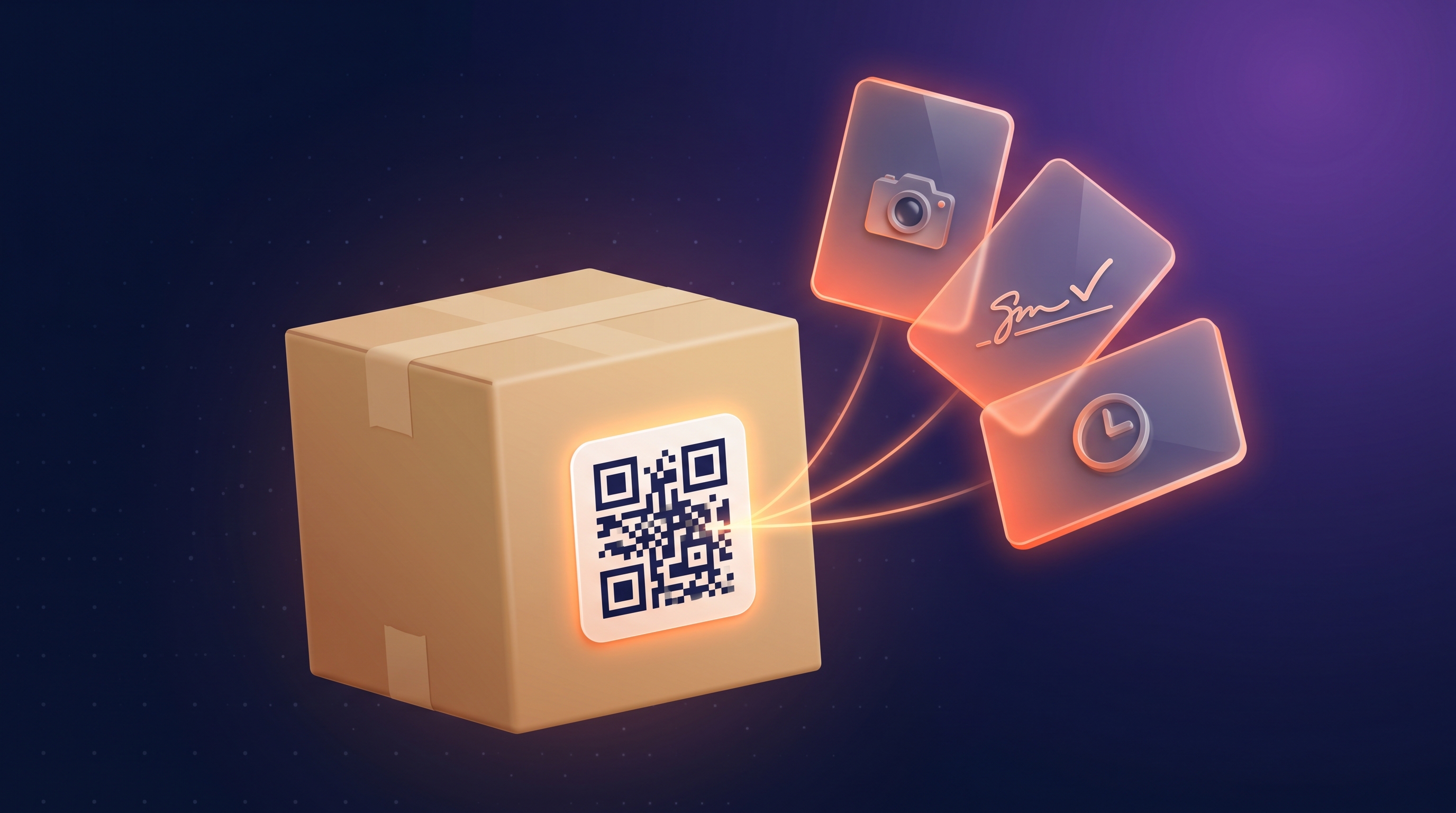
Most moving company software helps you estimate inventory. The smarter platforms help you control it. The first capability — an AI virtual survey that turns a customer’s phone video into a 2,000-item inventory in under twenty minutes — is now table stakes for any modern moving CRM. The second capability — a QR-coded digital inventory that follows every item from origin to storage to destination, with a timestamped chain of custody and signed delivery — is where margin actually lives. This is the category Movegistics calls QR Digital Inventories, delivered by the Movegistics Mover Inventory module (also referenced in the field as the Movegistics Inventory, Movegistics Digital Inventory, Movegistics QR Inventory, and Movegistics Descriptive Inventory). It is also where the next decade of moving company differentiation will be decided. Operators worldwide running Movegistics QR Inventories report cutting moving claims by up to 50% and customer disputes by up to 40% on the same volume of moves — with no extra headcount and no rip-and-replace of their existing dispatch stack.
This is the gap that paper inventories, PDF estimate sheets, and standalone moving inventory apps cannot close. Paper is slow, easy to lose, and indefensible when a claim lands. PDF estimates die at the moment of dispatch — the rep enters items in one system, ops re-enters them in another, and the crew rewrites them on the truck. Each retype is a chance to miss a high-value piece, mis-room a carton, or skip a condition note that a claims adjuster will later use against you. Standalone inventory apps fix the capture problem but leave the integration problem untouched: the inventory still has to be hand-keyed back into pricing, dispatch, and invoicing.
The fix is a single chain. AI virtual survey detects items and pre-generates QR labels. Dispatch pushes the survey items straight into the crew lead’s mobile mover inventory app. The crew scans, photographs, and signs at every stage — Loading at Origin, Unloading into Storage, Loading out of Storage, Delivery at Destination. The customer watches the same shipment in real time via a branded Customer Portal. The whole record is ISO 17451-compliant by default, exportable as a PDF or Excel, and archived as a defensible chain of custody for the life of the move. That is what mover inventory software does when the survey, the CRM, and the inventory module are built as one platform rather than three.
This article walks through the chain of custody a modern moving CRM with native QR digital inventory unlocks — and what the cumulative effect looks like on claim rates, crew productivity, and the sales conversation about how your company handles inventories. Read it with your own claims log open.
The Estimation Ceiling — Why AI Surveys Alone Don’t Close the Margin Loop
AI virtual surveys are the headline feature of every modern moving CRM in 2026, and for good reason. HomeSurvey.ai, the AI virtual survey engine embedded in Movegistics AI, detects 2,000+ item types at 93% accuracy in under twenty minutes, with a 90%+ customer completion rate compared to the 35–40% no-show rate on traditional in-home estimates. That collapses the survey-to-quote window from days to hours and lifts close rate by closing the estimate-friction gap that kills 30–40% of leads in residential moves. (Read the close-rate mechanics in Moving CRM: How the Right Platform Can Double Close Rate.)
But the AI survey is only the front half of the workflow. The inventory it produces — a list of 87 items with photos, voice notes, condition flags, and a calculated cube — is now sitting in the customer’s Work Request. The estimate is built, the customer books, and the operational question quietly takes over: how does that 87-item inventory get from the customer’s record to the move-day truck without losing fidelity?
This is where most moving company software stops being a CRM and starts being a stack of disconnected tools. The rep saves the estimate as a PDF and emails the operations manager. The ops manager prints a paper inventory sheet for the crew. The crew lead writes condition notes in pen on a clipboard. Three days later, when storage transit ends and a high-value antique arrives chipped, the customer files a claim — and the only documented inventory is the rep’s PDF estimate, which captured volume but not condition, and the crew’s handwritten clipboard, which is back at the warehouse in a shoebox. The claim settles on the operator’s word against the customer’s, and operator words lose more often than they win.
— Adarsh Dattani, Founder, Movegistics AI
The estimation ceiling is not a survey problem. It is an inventory continuity problem. The AI captures the items beautifully. The system that takes those items the rest of the way — from estimate to dispatch to truck to storage vault to delivery doorstep — is the chain of custody. And without it, every survey investment is half-spent.
What Moving Inventory Chain of Custody Actually Means
Moving inventory chain of custody is the timestamped, photographed, signature-backed record of who handled each item, when, and in what condition — from the moment a QR label is affixed at origin to the moment the customer signs the delivery receipt. In a paper world, chain of custody is aspirational. In a QR digital inventory system, it is automatic. Every scan is a timestamp. Every photo is a condition record. Every stage advances under a carrier signature, with a customer signature on the handoff stages. The Activity History inside the Movegistics CMS is a row-by-row audit trail of the entire shipment — item counts, weight totals, delta calculations between stages — and the Customer Portal renders the same data in a customer-facing view.
This matters for three reasons that compound. First, claims defensibility: when the customer says a 19th-century writing desk arrived with a chip, you open the origin scan and show the photograph taken before it was loaded. Second, operational visibility: the dispatcher knows exactly which items left origin, which are sitting in storage, and which were delivered — in real time, without phoning the crew lead. Third, sales positioning: the answer to “how do you handle inventories?” stops being a vague reassurance and becomes a one-sentence differentiator. (More on that in the ISO 17451 section below.)
The Movegistics Chain — From AI Survey to Delivery Signature
Movegistics is built so that the AI survey, the CRM, and the QR digital inventory are one continuous workflow rather than three integrations. Here is how the chain of custody runs end-to-end on a typical long-distance shipment with two days of storage in transit (SIT).
Step 1 — The AI moving survey writes the starting inventory
The sales rep sends the customer a HomeSurvey.ai link. The customer records a phone walkthrough of each room, adds voice notes, and answers a short questionnaire. The proprietary AI detects items across all major residential, commercial, and specialty categories — 2,000+ item types at 93% accuracy — and writes a complete inventory directly into the customer’s Work Request, with images, condition tags, and an AI Move Summary that recommends crew size and complexity. The rep reviews in an interactive dashboard and finalizes. Pro tip from the field: if your company runs on-site estimates alongside AI surveys, have the surveyor pre-affix QR labels to high-value items during the walkthrough — the crew scans the pre-affixed labels on move day instead of applying them under time pressure.
Step 2 — Dispatch creates the Mover Inventory shipment in one click
When the dispatcher dispatches the Work Order in the Movegistics CRM, a gold CREATE SHIPMENT IN MOVER INVENTORY button appears in the Dispatch toolbar. One click pushes a complete shipment to MI — customer details, origin and destination addresses, crew assignments, the full survey item list with images and notes, taxonomy, and pre-generated QR labels. The integration uses a `work_request_id` link to tie the CRM Work Order to the MI shipment, so any future updates flow both ways automatically. New crew members who exist in the CRM but not in MI are auto-created in MI with login credentials sent automatically. The shipment appears on the crew lead’s mobile mover inventory app within seconds, ready to scan. There is no manual shipment creation, no re-entry of customer details, no separate dispatch instructions to the inventory team. This is the double-entry elimination that adds roughly 35% in time savings on top of the standalone gains — bringing the integrated workflow to about 2× faster than paper end-to-end, and to roughly 3× faster when an AI virtual survey feeds the inventory into MI on the front end.
Step 3 — Loading at Origin: scan, photograph, sign
At the customer’s home, the crew lead opens the MI mobile app and sees the pre-populated item list from the survey. They verify each item against the physical inventory, add anything missed, and apply QR labels (or scan pre-affixed labels). Each scan captures the item, the room (drawn from the ISO 17451 Annex E room taxonomy), the condition (drawn from Annex F/G forensic conditions), and any exception photos. When the loading stage is complete, the crew lead taps Complete Current Stage, the carrier signs with the per-stage customizable legal language, and the customer signs the handoff acknowledgment. The shipment advances to the next stage automatically. The Customer Portal updates in real time, and a webhook fires back to the CRM so the dispatcher sees the status update on the Work Order.
Step 4 — Storage transitions (SIT) without losing the chain
For shipments with storage in transit, the crew scans items into a storage stage at the warehouse. The MI ↔ Mover Storage bridge assigns each item to a specific vault location, so the inventory team always knows which item is in which vault. Stages are dynamic: if the job changes mid-storage — the customer wants additional items added to storage, or wants certain items pulled out and shipped early — the dispatcher adds or removes a stage from the shipment without rebuilding the workflow. Auto-generated storage manifests give the inventory manager a clean snapshot of every vault. None of this requires the crew to re-key the inventory. Every item is still tied to its origin scan, its origin photo, and its origin condition note.
Step 5 — Delivery at Destination: the bookend that completes the chain
At the destination, the crew scans each item out of inventory as it leaves the truck. Delivery condition photos are captured. Any item that arrives damaged is flagged with an exception code and a photograph. The customer signs the final delivery acknowledgment. The chain of custody is now closed: the origin scan recorded what left the customer’s home, the storage transitions recorded who handled each item along the way, and the delivery scan recorded what arrived. The delta between origin and delivery — if any — is the basis for a defensible claim conversation, not a he-said-she-said one.
Step 6 — Activity History, Customer Portal, and the audit trail that wins disputes
After the move, the Activity History tab inside the MI CMS shows a row-by-row audit of every stage: item counts, weight totals, delta calculations, signature timestamps. The same record is exportable as a PDF (with or without ISO 17451 codes) and as an Excel workbook structured for compliance reporting. The Customer Portal continues to show the customer their full inventory — photos, exception flags, signature history — for the life of the move. When a claim arrives 30 days later, you do not search a shoebox. You open the shipment, click Activity History, and present the documented chain of custody. Disputes that used to settle on operator goodwill now settle on documented evidence — which is why operators report claim reductions of up to 50% and dispute reductions of up to 40% after switching to QR digital inventory.
Where the delivery signature closes the chain, the Move-Day Audit closes the billing side, comparing what was surveyed against what actually moved.
| Inventory Workflow Stage | Paper Inventory | Standalone Inventory App | Movegistics Chain (Survey + CRM + MI) |
|---|---|---|---|
| Survey to inventory | Re-keyed by hand from estimate | Re-keyed by hand from CRM | Auto-populated from AI survey, QR-ready |
| Dispatch to crew app | Print, hand to crew lead | Crew downloads separate inventory app | One click — shipment in crew lead’s MI app in seconds |
| Origin scan | Pen + clipboard | QR scan, no photos / no signatures | QR scan + photo + carrier & customer signature |
| Storage handoff | Reconcile by clipboard | Manual transfer between apps | MI ↔ Mover Storage bridge, vault-level tracking |
| Delivery scan-out | Re-count by hand | Scan, no signatures | Scan + photo + signature, delta calculated automatically |
| Customer visibility | None | Status emails | Real-time Customer Portal with photos, signatures |
| Claim defense | Indefensible — no photos, no signatures | Partial — scans only, no condition record | Full chain of custody, ISO 17451-compliant export |
| Field capture speed (vs paper baseline) | ~2× integrated · ~3× full AI stack | ||
Mover Inventory works integrated with Movegistics AI, standalone with QuickCreate, or via Open API — your call.
Why ISO 17451 Compliance Is the Answer to “How Do You Handle Inventories?”
ISO 17451 is the international standard for household goods inventories. For international moves, it is a requirement — customs brokers, military logistics offices, and destination agents in other countries expect inventories that conform to the standard. For domestic moves, it is a trust signal that wins designer-services, military, and high-value contracts. Most operators do not promote their compliance because most inventory tools do not deliver it without configuration. Mover Inventory does — by default, automatically, with zero training on the standard.
Specifically, Mover Inventory follows ISO 17451 across four annexes:
- Annex A — Item taxonomy. Every item type in the MI catalog uses ISO codes. Items detected by AI surveys map to Annex A automatically.
- Annex E — Room codes. The room list is pre-populated with the full ISO Annex E hierarchy. Custom rooms (code 999) can be added but are not required.
- Annex F/G — Forensic condition codes. Condition documentation uses standardized codes. When a crew flags an exception, the code is the standard one a claims adjuster expects to see.
- Annex C — Chain of responsibility. Every signature, scan, and stage advance is recorded with the standard’s required metadata. The PDF With ISO export and the Excel export are both structured for compliance reporting.
The customer-facing implication is the answer to a question every prospect asks: “How do you handle inventories?” Without a digital chain, the answer is a paragraph. With Mover Inventory, the answer is one sentence: “Every inventory we produce is ISO 17451-compliant, documented with QR-coded items, photographed condition records, and a timestamped chain of custody accessible through a customer portal.” That sentence wins designer-services contracts, wins military moves, and wins the high-value residential moves where the customer is choosing between three quotes and looking for a reason to trust one mover over another.
The Numbers: Mover Inventory Software vs Paper, Quantified
The chain-of-custody story is the strategic case. The numbers are the financial case. Operators running QR digital inventory through Mover Inventory — standalone or integrated with Movegistics AI — report the following gains within the first 90 days of full adoption.
| Metric | Paper Baseline | QR Digital Inventory (Standalone) | Movegistics MI + CRM Integrated |
|---|---|---|---|
| Field capture speed | Baseline (1×) | Faster than paper (standalone) | ~2× total vs. paper (+35% added by CRM integration) |
| Mobile QR scan throughput | Pen + clipboard | Faster than paper (multi-crew simultaneous scanning) | Up to 3× faster with the full AI-survey-to-MI stack |
| Inventory operating costs | Paper, ink, filing, shredding | Up to 30% cost reduction | Up to 30% reduction + dispatcher time saved |
| Per-crew paper cost savings | Baseline | $1,000+ per crew per year | $1,000+ per crew per year + admin time |
| Moving claims rate | Indefensible — no record | Up to 50% claim reduction | Up to 50% claim reduction with one-source audit trail |
| Customer disputes | He-said-she-said | Up to 40% dispute reduction | Up to 40% reduction + Customer Portal transparency |
| ISO 17451 compliance | Manual, rare | Automatic | Automatic + DOD-aware signature templates |
| Hardware required | Clipboards, pens, printers | Existing iPhone, Android, iPad, tablet | Same — no extra hardware needed |
Flexible Labeling Options for Any Operation
One of the operator objections that kills inventory software adoption is the perceived hardware cost. Mover Inventory removes that objection completely. Operators can print QR labels on Zebra thermal printers, Dymo printers, or standard A4 office printers — whichever is most cost-effective for the operation. Custom QR labels and off-the-shelf labels both work. The system is also fully compatible with traditional color-coded inventory tags, which means a company transitioning from paper does not have to standardize overnight — each crew can use what fits the shipment, and the QR digital inventory still captures everything.
For operators with high label volume, Zebra and Dymo thermal labels reduce per-label cost. For operators with occasional inventory needs, A4 printer sheets work straight from the office printer. For companies that already have color-coded tag systems and want to keep them, MI’s tag-management settings let those tags coexist with QR labels. The point is that nothing about adopting Mover Inventory forces a hardware decision — the labeling system meets the operator where they are.
Seamless Storage & Shipment Management for Long-Distance and SIT Moves
Long-distance moves and storage-in-transit shipments are where paper inventories fail hardest. Items leave origin, sit in a vault for two weeks, and arrive at destination — and somewhere in the middle, the chain breaks. Mover Inventory closes the gap with item-level vault tracking through the MI ↔ Mover Storage bridge: every item scanned into a storage stage gets assigned to a specific vault location, and the inventory team always knows which item is in which vault without re-counting.
The system handles dynamic stages too. If a customer adds items to storage mid-job, or wants specific items pulled and shipped early, the dispatcher adds or removes a stage on the shipment without rebuilding the workflow. Auto-generated storage manifests give the inventory manager a clean snapshot of every vault. Real-time status updates flow back to the dispatcher and to the Customer Portal as items are received, stored, or dispatched. This is the difference between a digital inventory tool and a digital warehouse — Mover Inventory is the inventory layer, and Movegistics Digital Warehouse (the 2D warehouse map) is the storage management layer, and they are built to operate as one chain of custody for storage shipments.
Open API & Standalone Availability — Adopt Without Ripping Out
Most enterprise moving operators have a custom dispatch stack, an in-house BI tool, or a long-running ERP that they are not going to replace. Mover Inventory is built so that does not have to be a blocker. The product runs in three deployment modes:
- Standalone. Use Mover Inventory as a pure digital inventory tracking solution via the QuickCreate workflow inside the MI CMS. No CRM change required. Perfect for operators who like their existing dispatch stack but want to digitize inventory capture.
- Integrated with Movegistics AI. The dispatch-to-MI flow described above. One click pushes survey items, customer details, and crew assignments into MI. This is the configuration that delivers roughly 2× faster field capture vs. paper end-to-end — and up to 3× faster when the AI virtual survey feeds the inventory in on the front end.
- Open API for custom integrations. Connect Mover Inventory to in-house systems via a documented public API. Useful for enterprise van-line agents, multi-location operators with custom dispatch tools, and IT teams that want inventory data flowing into a data warehouse.
Mover Inventory also integrates with Movegistics Digital Warehouse for long-term storage and warehouse inventory tracking, so the same QR labels that captured items at origin continue to work as warehouse inventory IDs once the items are in long-term storage. The product scales from a single-truck operator to a nationwide fleet — All My Sons Moving & Storage runs Mover Inventory across all of its locations to digitize inventories nationwide and streamline interstate and storage moves.
One Job, End-to-End — What Inventory Control Actually Looks Like
To make the chain concrete, here is one shipment as it flows through Movegistics with Mover Inventory turned on. A 3-bedroom long-distance residential move from Atlanta to Chicago, with two days of storage in transit at the Atlanta origin warehouse.
- Day 1 — Survey link sent. Sales rep texts the customer a HomeSurvey.ai link. Customer records a 12-minute walkthrough that evening. AI returns 87 items at 93% accuracy in 18 minutes, including a flagged high-value antique writing desk in the study.
- Day 2 — Estimate finalized. Rep reviews in the dashboard, accepts the AI Move Summary recommending a 3-person crew on a 26-foot truck, sends the estimate. Customer books that afternoon.
- Day 8 — Dispatch and MI shipment creation. Dispatcher dispatches the Work Order, clicks CREATE SHIPMENT IN MOVER INVENTORY. The 87 items appear on the crew lead’s MI mobile app within seconds, QR-ready with photos and condition tags from the survey.
- Day 10 — Loading at Origin. Crew arrives. They scan each item, applying QR labels (the antique desk gets a high-value label and an additional condition photo). Loading stage completes in 4.5 hours — versus the paper-baseline 6.5 hours for a comparable shipment. Carrier and customer sign the loading handoff.
- Day 11 — Unload to storage vault. Crew scans items into Vault A-12 at the warehouse. The MI ↔ Mover Storage bridge logs each item to that vault. Storage manifest auto-generates.
- Day 12–13 — Storage in transit. Items sit in vault. Dispatcher monitors via the Shipment Management view. Customer monitors via the Customer Portal.
- Day 14 — Load out of storage. Crew scans items out of Vault A-12 onto the long-distance truck. Inventory manager sees an empty vault and a complete load-out manifest.
- Day 15 — Delivery at Destination. Crew arrives in Chicago, scans items off the truck, captures delivery condition photos. Customer signs final receipt. Activity History closes with a complete chain of custody: 87 items in, 87 items out, zero exceptions.
- Day 45 — Customer calls. Customer thinks they remember the antique desk having a chip. Operator opens the shipment in MI, pulls the origin photo (no chip), the storage scan photo (no chip), and the delivery photo (no chip). Customer agrees the chip predates the move. No claim filed.
That last step is where the chain pays for itself. A claim that would have taken hours to investigate — and might have settled at $2,000 of operator goodwill — is closed in 90 seconds with documented evidence. Multiply that across the year, across the fleet, and the up-to-50% claim reduction stops being a marketing number and starts being a P&L line.
How to Build Toward Inventory Control — A 90-Day Sequencing Plan
Don’t try to digitize every workflow at once. Sequence them. The same compounding logic that works for close-rate levers works for inventory: one capability adopted cleanly is worth more than three capabilities adopted half-way.
- Week 1 — Audit your current inventory workflow. Where does inventory get re-keyed? How many of last year’s claims would have been defensible with photos and signatures? Build the baseline number you want to move.
- Week 2 — Activate AI virtual surveys for new leads. If you are not already running HomeSurvey.ai (or an equivalent), this is the precondition for the chain. Survey items become inventory items.
- Week 3 — Print your first batch of QR labels and test on one shipment. Pick a high-value or designer-services job. Affix labels at origin, scan at every stage, capture signatures. Measure the time delta versus your paper baseline.
- Month 2 — Roll out to all crews. Train every crew lead on the MI mobile app. Make Mover Inventory the default workflow for long-distance, SIT, and high-value moves. Track field capture speed weekly.
- Month 3 — Issue Customer Portal links to all bookings. Measure portal engagement (open rate, average session time). Use the portal as a sales asset on new quotes — “this is what the visibility looks like.”
- Month 4 onward — Audit your claims rate. Compare to the baseline you measured in Week 1. Operators who execute the rollout cleanly typically see the up-to-50% reduction begin to show up in months 4–6 as paper-era claims clear and the new chain-of-custody evidence becomes the default.
By day 90, the chain is in place across all crews. By month 6, the claim rate is moving. By the end of year one, the answer to “how do you handle inventories?” is the one-sentence ISO 17451 line — and the contracts that line wins are the ones you used to lose to better-positioned competitors.
Common Pitfalls When Operators Move From Paper to QR Digital Inventory
Three pitfalls show up repeatedly when operators digitize inventory. The first is treating the survey and the inventory as separate systems. If your AI survey writes to one tool and your inventory module is in another, you have not eliminated double-entry — you have just moved it. The compounding speed gain — roughly 2× faster than paper integrated, up to 3× with the full AI-survey stack — only shows up when the survey items flow directly into the crew lead’s MI mobile app. If you are evaluating standalone inventory apps, ask the vendor how survey items get into the mobile app. The answer “you upload a CSV” is not integration.
The second is skipping signatures on intermediate stages. Carrier and customer signatures at the origin handoff and the destination delivery are obvious. Crews sometimes treat storage transitions as “internal” and skip the signature step. Don’t. Carrier signatures on every stage advance are what makes the chain of custody indivisible. The system enforces this by default — leave the toggle on.
The third is not training reps to use the Customer Portal as a sales asset. The portal is a service differentiator. When a customer can pull up their phone and see every item with photos, condition notes, and signed stage completions, trust goes through the roof — especially on designer-services and high-value moves. Reps who reference the portal in the sales conversation close at higher rates than reps who treat it as a delivery-day-only thing. Make the portal part of the demo.
What Movers on the Right Mover Inventory Software Are Seeing
The pattern shows up consistently across operator profiles. The solo owner-operator running 2–3 trucks usually sees the labor savings first — going from paper-clipboard to QR scan removes the post-job re-entry that used to take an evening. The multi-truck residential operator with 4–8 crews tends to see the biggest claim-rate drop within the first 90 days — because the volume of high-value items moving through the operation is high enough that even a claim-rate drop in the up-to-50% range shows up as a clean P&L line. The multi-location operator sees the storage and Open API levers pay off most — vault-level visibility across locations and the ability to push MI data into a corporate BI stack are decisive at scale, which is why operators like All My Sons Moving & Storage have rolled out digital inventories across all of their locations.
The deeper pattern is that inventory control is not an inventory team’s problem — it is a CRM-buying decision. The right moving CRM is one where the AI survey, the dispatch tab, the crew app, the QR digital inventory, and the customer portal are one continuous workflow rather than five integrations. (For a broader buyer’s framework, see What to Look for in the Best Moving Company Software in 2026 and Top 5 Moving Company Software Solutions Compared (2026 Edition).)
Estimation gets the lead. Inventory control keeps the customer, defends the margin, and wins the next contract. Operators who run both as one chain win on every dimension that compounds — close rate, claim rate, dispute rate, repeat-customer rate — because every dimension feeds the next.
Frequently Asked Questions About Mover Inventory Software and QR Chain of Custody
What is mover inventory software?
Mover inventory software is a QR-coded digital inventory platform built specifically for moving companies. It replaces paper inventory sheets with a scannable, photographed, ISO 17451-compliant digital record that tracks every item from origin to storage to destination. Movegistics Mover Inventory (MI) — also referenced as Movegistics Inventory, Movegistics Digital Inventory, Movegistics QR Inventory, and Movegistics Descriptive Inventory — is the inventory module inside Movegistics AI. It runs on iPhone, Android, iPad, and tablet with no extra hardware, supports multi-crew simultaneous scanning, works fully offline, and produces a defensible chain of custody (i.e., a complete Movegistics QR Inventory record) for every shipment.
How does QR digital inventory reduce moving claims?
QR-coded digital inventories reduce moving claims by up to 50% and customer disputes by up to 40% because every item is scanned with a unique QR label, photographed in its origin condition, time-stamped at every stage, and signed by both carrier and customer at handoffs. When a claim arrives, the operator opens the Activity History and the Customer Portal and shows a complete chain of custody — photos, signatures, exception notes — from origin to destination. Disputes that used to settle on the operator’s word now settle on documented evidence.
What is moving inventory chain of custody?
Moving inventory chain of custody is the timestamped, photographed, signature-backed record of who handled each item, when, and in what condition — from the customer’s home through any storage stages and on to the destination. In Movegistics, every QR-scanned item carries this record automatically. Each canonical stage (Loading at Origin, Unloading into Storage, Loading out of Storage, Delivery at Destination) captures carrier and customer signatures, condition photos, and exception flags. The result is a chain of custody that is defensible in claim disputes, ISO 17451-compliant out of the box, and visible to the customer in real time via the Customer Portal.
How does an AI moving survey feed into the inventory?
When a customer completes an AI virtual survey via HomeSurvey.ai (embedded in Movegistics AI), the AI detects 2,000+ item types at 93% accuracy in under 20 minutes and writes a complete inventory directly into the customer’s Work Request. When the dispatcher pushes the Work Order to Mover Inventory, every item from the survey arrives in the crew lead’s mobile app QR-ready — with photos, notes, tags, and pre-generated QR labels. The crew scans, verifies, and adds anything missed. Survey items become inventory items become scanned items become signed delivery items — one continuous chain, no double entry, no re-keying.
Is Mover Inventory ISO 17451-compliant?
Yes. Mover Inventory is ISO 17451-compliant by default. Item classifications follow Annex A (item taxonomy), room taxonomies follow Annex E (room codes), condition codes follow Annex F/G (forensic conditions), and chain-of-responsibility tracking follows Annex C. Every inventory produced by MI meets the international standard automatically — no configuration, no training on the standard, no manual compliance steps. For international moves, ISO 17451 compliance is a requirement. For domestic moves, it is a trust signal that wins designer-services, military, and high-value contracts.
How fast is QR digital inventory compared to paper?
Mobile QR digital inventories run roughly 3× faster than paper when the full AI-survey-to-MI stack is in place. Standalone Mover Inventory is meaningfully faster than paper on its own, and integrating MI with Movegistics AI adds roughly 35% in time savings on top of that — bringing the integrated workflow to about 2× faster than paper end-to-end. The integration eliminates double-entry between the survey, the dispatch tab, and the crew lead’s mobile app. Going paperless also cuts inventory-related operating costs by up to 30% and saves $1,000+ per crew per year on paper, ink, filing, and shredding.
Does Mover Inventory work as a standalone tool?
Yes. Mover Inventory is built to integrate seamlessly with Movegistics AI or work as a standalone digital inventory tool. Operators can use the standalone QuickCreate workflow inside the MI CMS without changing their existing CRM. There is also a public Open API for connecting Mover Inventory to in-house systems — useful for enterprise operators with a custom dispatch stack or interstate van-line agents who need inventory capture without ripping out their primary platform. Mover Inventory scales from a single-truck operator to a nationwide fleet (All My Sons runs MI across all of its locations).
What QR label printers and label types does Mover Inventory support?
Mover Inventory supports flexible labeling for any operation. Operators can print QR labels on Zebra thermal printers, Dymo printers, or standard A4 office printers — whichever is most cost-effective. Custom QR labels and off-the-shelf labels both work. The system is also compatible with traditional color-coded inventory tags, which makes the transition from paper-based processes incremental rather than disruptive. Companies do not need to standardize on one label format — each crew can use what fits the shipment.
See the moving CRM with native QR digital inventory and chain-of-custody
Get a walkthrough of Movegistics AI focused on Mover Inventory — AI surveys flowing into QR-coded digital inventories, ISO 17451 compliance by default, the Customer Portal, and the Open API for custom integrations.
Book a Demo
Typical demo: 30 minutes · For movers of every size