Moving Crew App: How Mobile BOL, Digital Signatures, and Onsite Payment Cut Claims 50% and Speed Billing 40%
Every moving operator obsesses over close rate, survey quality, and dispatch automation. The smarter ones obsess over move day. Because move day is where the booked estimate either becomes a profitable, on-time, on-budget job — or starts hemorrhaging margin in ways that don’t show up until payroll runs and the first claim comes in. A 5% margin leak on every job, compounded across the year, is the difference between an operator who scales and an operator who treads water on the same lead flow.
The margin leaks on move day are remarkably consistent across every moving company. Time gets tracked on paper (or not at all), and payroll disputes erupt at the end of the pay period. Pre-existing damage at the customer’s home is never photographed, so when a claim arrives 30 days later, the operator pays. Bills of Lading get signed on paper that the crew loses on the way back to the warehouse. Customers pay days or weeks after the move because invoicing happens manually from the office. Tips never materialize because customers don’t carry cash. Reviews never get asked for because the crew is in a rush to leave. None of these failures show up as a single dramatic event — they show up as a slow, quiet erosion of margin across every quarter, every year, until the operator wonders why the business isn’t growing on the same lead volume.
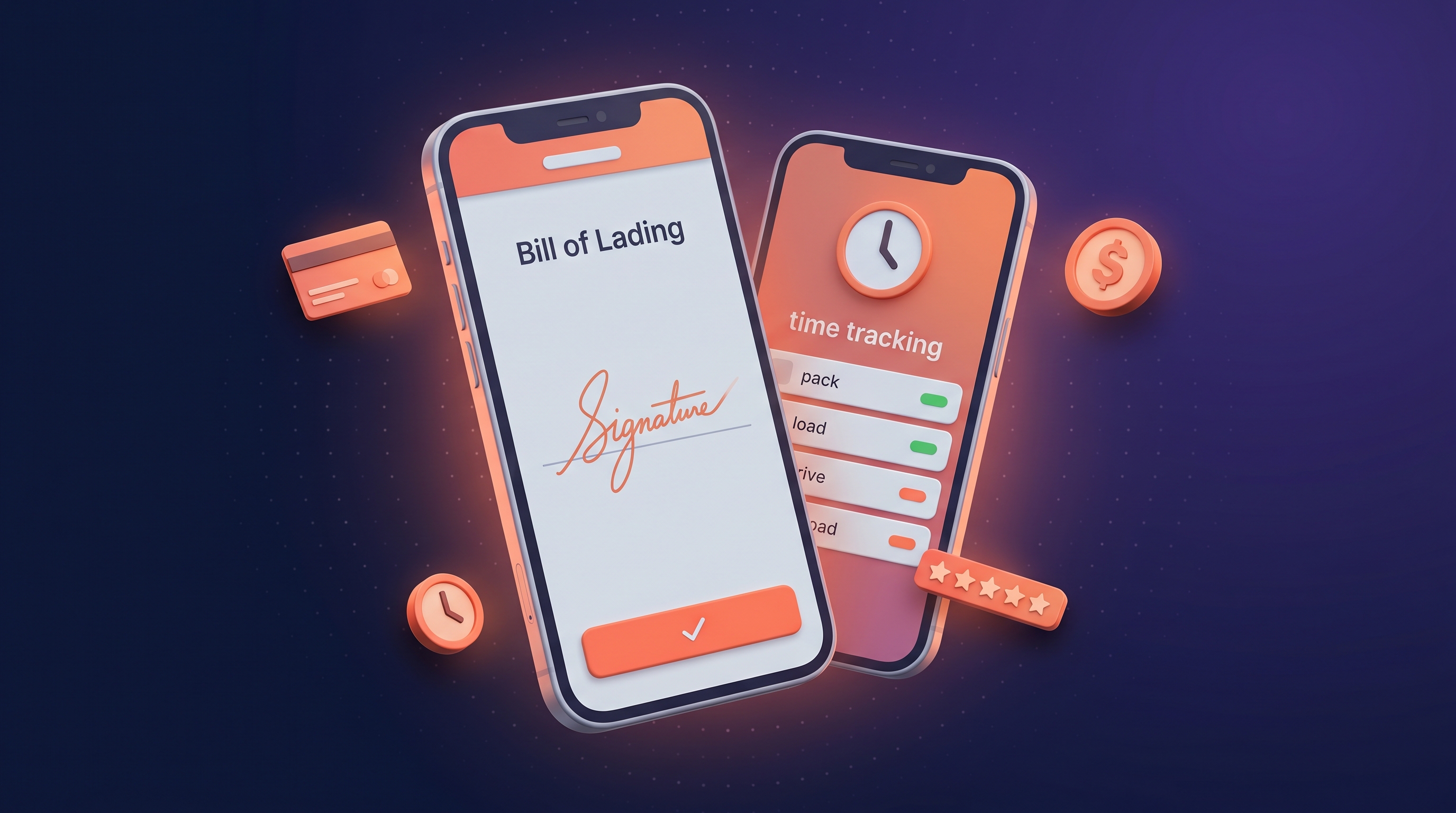
The fix is a modern moving crew app — an iPhone and Android tool that turns the crew lead into a full-stack mobile office. Pre-move walkthroughs with damage photos. Digital BOL signatures. Smart time tracking with billable/non-billable separation. Real-time cost transparency that customers see as the job runs. Onsite payment with credit cards, checks, or cash. Digital tipping. In-app review prompts. Two-way communication with the office. Auto-sync to the CRM, QuickBooks, and payroll. Operators worldwide running the Movegistics Crew App report cutting moving claims by up to 50%, eliminating 100% of payroll disputes, increasing invoice accuracy by 40%, and speeding payment collection by 40% — on the same job complexity, with the same crew headcount.
This article walks through what a modern moving crew app does, how it pairs with the survey + inventory chain to protect margin end-to-end, and what the cumulative effect looks like on claim rate, payroll accuracy, cash collection speed, and the customer experience that drives repeat referrals. Read it with your own crew workflow in mind.
— Adarsh Dattani, Founder, Movegistics AI
Why Move-Day Is the Most Underweighted Stage in the CRM Conversation
Walk into any moving company sales meeting and you’ll hear endless conversation about lead capture, automation, survey quality, and close rate. Walk into the same company’s monthly P&L review and the variance the owner can’t explain is always somewhere in the move-day execution layer — payroll overruns, unbilled overages, claims paid out, customers who paid late and never came back. The disconnect is structural. The CRM industry sells based on the front of the funnel (leads, surveys, estimates) because that’s where the buyer’s anxiety lives. But the margin lives on the truck — and operators who don’t instrument the truck end up with no visibility into where their margin actually goes.
A modern moving crew app is the instrumentation layer for the truck. Every action a crew takes — every clock-in, every photo, every signature, every payment, every tip, every customer review — becomes a data point that flows into the CRM in real time. The office sees what the crew sees. Payroll closes the loop on what the crew actually did. Customers see what they’re being charged before they pay. None of this is exotic — it’s the same digital instrumentation pattern that runs every modern field service business. Moving operators who haven’t adopted it yet are not behind on technology; they’re behind on margin protection.
The Move-Day Margin Leaks Paper-Based Crews Can’t Plug
Before the crew app fixes them, here are the seven margin leaks that show up on virtually every paper-based move day. None of them are dramatic in isolation — they bleed slowly, across every job, until they become the variance the owner can’t explain.
- No pre-existing damage record. The customer’s hardwood floor was scratched before the crew arrived, but no one photographed it. Thirty days later the customer files a $1,800 claim. The operator pays because there is no documented baseline.
- Time tracking by approximation. Crew members write “8 AM – 4 PM” on a timesheet at the end of the day. Lunch breaks, slow stretches, and off-the-clock setup time get folded into billable hours. Payroll runs and crews dispute the line items. The office settles disputes in the crews’ favor to avoid losing them.
- Paper BOLs that disappear. The Bill of Lading gets signed on paper. The customer keeps a copy. The crew puts the signed original on the dashboard. Three days later it’s at the bottom of a parking-lot puddle. When a dispute arises, there is no clean signed record.
- Manual invoicing delays. The crew completes the move on Friday. The job paperwork lands on the office invoicing clerk’s desk Monday. The clerk processes it Wednesday. The invoice goes out Thursday. The customer pays in 14 days. Two weeks of cash flow erosion on every job.
- Tips that never happen. Customers want to tip but don’t carry cash. The crew doesn’t have a way to take a tip on a card. The customer means to send a Venmo later, forgets, and the crew misses out on $80–$150 per job.
- Reviews that never get asked for. The customer was thrilled. The crew leaves before anyone asks for a review. Two days later, the customer is busy with unpacking and the moment is gone. Operators with the highest Google ratings ask in-app, at the moment of completion, when the customer is still emotionally engaged.
- No real-time office visibility. The dispatcher does not know where the crew is, whether the job is on schedule, or whether problems are emerging. Customers call asking “where is my crew?” and the office has no answer. Operators report reducing these calls by 50% with a crew app that pushes live ETAs.
| Move-Day Capability | Paper-Based Crew | Basic Crew App (Other Vendors) | Movegistics Crew App |
|---|---|---|---|
| Pre-existing damage photos | Verbal walkthrough, no record | Photo capture, manual upload | In-app photo capture, instant CRM sync |
| Digital BOL signature | Paper, easy to lose | Available, often separate workflow | Native BOL with terms, valuation upsell, signature in one flow |
| Time tracking | End-of-day approximation | Manual clock-in/out | Activity-level (pack/load/drive/unload) with auto-rate calc |
| Customer cost transparency | Final number at the end | Sometimes | Real-time itemized cost breakdown on customer’s device |
| Onsite payment | Cash or check only | Card via separate device | Stripe / Authorize.net integrated; card, check, cash all in-app |
| Digital tipping | Cash only, often missed | Rare | Native prompt; 25% increase in tip amounts |
| In-app reviews | Email follow-up, low conversion | Email follow-up | In-app prompt at job close; 35% review-rate lift |
| Live ETAs to customer | Phone calls or none | Sometimes | One-click automated ETA notifications |
| CRM + QuickBooks sync | Manual office data entry | Partial | Full real-time sync, automatic job close, payroll calc |
| Combined effect on operator P&L | −50% claims · +40% billing speed · 100% payroll accuracy | ||
A 30-minute demo on your job complexity — local hourly, interstate tariff, commercial, or designer-services.
The Movegistics Crew App Chain — From Dispatch to Final Sync
The Movegistics Crew App is not a standalone tool. It is the move-day execution layer in a chain that runs from AI virtual survey through estimate, dispatch, QR digital inventory, and final QuickBooks sync. Here is what the chain looks like end-to-end on a typical residential move day where the crew arrives at 8 AM and departs by 4 PM.
Step 1 — Pre-move brief on the crew lead’s phone
Before the truck leaves the yard, the crew lead opens the Crew App on their phone and reviews the day’s job summary — customer name, origin address, destination address, crew assignments, scheduled start time, expected duration, special handling notes, and any valuation upsell prep from the survey. The job pre-loaded that morning when dispatch ran. The supervisor can see the full job calendar with upcoming work, key job details, and any contractors or destination agents assigned. There is no paper packet, no clipboard, no faxed instructions — the entire move-day brief is on a phone the crew lead is already carrying.
Step 2 — Arrival and walk-through with the customer
The crew arrives at origin. Before anyone touches a piece of furniture, the crew lead walks the home with the customer and captures pre-existing damage photos — scratched floors, dented walls, scuffed door frames, pre-damaged furniture. The customer reviews the photos on the crew lead’s phone, acknowledges the documented condition, and signs an acknowledgment. The BOL terms and conditions appear on screen, the customer reviews them, and signs the BOL digitally. If a valuation upsell is offered, the customer selects the coverage tier and that election flows directly into the final invoice. Every signature is timestamped, attributed to the customer name, and stored in the CRM the moment the device next syncs. Operators who train crews to capture pre-existing damage on every job report up to 50% fewer claims paid out.
Step 3 — Time and activity tracking with real-time customer cost
The crew clocks in. As each crew member starts packing, loading, driving, unpacking, or any other activity, the app captures the start and end timestamps and applies the correct rate per activity. Non-billable activities — breaks, lunch, off-the-clock setup — are tracked separately and excluded from the customer’s invoice. Crew members can be added or removed from the job mid-day (an additional helper called in for a heavy lift) and the cost recalculates instantly. Most importantly, the customer sees a real-time itemized cost breakdown on their phone — pack hours so far, load hours, materials used, valuation election, surcharges. There is no surprise at the end of the job. The 40% increase in invoice accuracy and 40% reduction in customer disputes that operators report comes directly from this transparency loop.
Step 4 — Office visibility and live ETAs
Throughout the job, the office sees what the crew sees. The dispatcher can pull up the job and see clock-in status, current activity, photos uploaded, and any notes the crew lead has added. If the crew is running behind, the office knows in real time. Live ETAs push to the customer automatically — “your crew is 25 minutes out” — replacing the “where’s my crew” calls that used to flood the office. Operators report 50% fewer of those calls after enabling live ETAs, plus a 30% improvement in dispatcher efficiency from the reduction in back-and-forth communication.
Step 5 — Payment, tip, and review at job close
The crew finishes unloading at destination. The customer reviews the final itemized invoice on the crew lead’s phone (or on their own phone via a live link). They pay with a credit card, check, or cash — the Crew App supports all three through Stripe, Authorize.net, and other integrated processors. After payment, the app prompts for a tip on the customer’s device — a digital prompt that lifts tip amounts by 25% on average versus cash-only operations. Then the customer is prompted for an in-app review and rating, capturing 35% more reviews than email follow-up workflows. All signatures, payment confirmation, tip, and review are timestamped and synced.
Step 6 — Auto job close and downstream sync
The crew lead taps Complete Job. Everything fires automatically: the work order closes in the CRM, the final invoice generates with all line items, QuickBooks syncs the AR entry, payroll calculates per-crew-member from the timestamped activity data, and the variance audit feed picks up any deviations from the original estimate for the office to review. The same chain that fed survey items through dispatch into the crew app now feeds the move-day record back into the customer’s history for repeat marketing, into the operations dashboards for performance coaching, and into the Mover Inventory chain of custody for any storage transitions. (For the full inventory chain context, see Mover Inventory Software: How QR-Coded Chain of Custody Cuts Moving Claims by 50%.)
Pre-Existing Damage Photos — Where Claims Get Won Before They’re Filed
The single highest-leverage feature on the Movegistics Crew App is the pre-existing damage photo capture at arrival. Trained well, it changes the economics of claims defense entirely — and combined with origin-scan inventory photos from the survey, it makes the entire chain defensible.
The mechanic: when the crew arrives at the customer’s home, the crew lead walks through with the customer and photographs anything that’s already damaged — the scratched hardwood near the front door, the dent in the dining-room wall, the chipped corner on the antique dining table, the worn rug in the hallway. Each photo gets timestamped and tagged to the location. The customer reviews the photos on the crew lead’s phone and signs an acknowledgment. The photos sync to the CRM the moment the device next reaches connectivity.
Thirty days later, the customer files a claim alleging the crew damaged the hardwood floor near the front door. The operator opens the job, pulls up the arrival photo set, and shows the customer the timestamped photo of the same scratch — taken before any crew member entered the home. The claim is resolved in 90 seconds with documented evidence. Across a year, the operator avoids paying out claims that would have settled on goodwill. Operators report up to 50% claim reduction directly attributable to this practice, with the savings compounding every quarter the discipline is maintained.
The Numbers: Movegistics Crew App vs Paper Crew, Quantified
The chain-of-custody story is the strategic case. The numbers are the financial case. Operators running the Movegistics Crew App report the following gains within the first 90 days of full adoption.
| Metric | Paper-Based Crew Baseline | Movegistics Crew App |
|---|---|---|
| Claim rate | Indefensible — no photo record | Up to 50% reduction |
| Payroll disputes | End-of-period disputes routine | 100% elimination |
| Invoice accuracy | Manual entry, frequent errors | 40% improvement |
| Customer billing disputes | Common at job close | 40% reduction |
| Payment collection speed | 5–14 days post-job | 40% faster (often same-day) |
| Invoicing delays | Office bottleneck | 90% reduction |
| Tip amounts | Cash-only, often $0 | 25% increase via digital prompt |
| Review collection rate | Low (email follow-up) | 35% increase (in-app prompt) |
| “Where’s my crew” calls | Frequent | 50% reduction via live ETAs |
| Dispatcher efficiency | Reactive, phone-based | 30% improvement with real-time visibility |
| Hardware required | Clipboards, signature pads, separate card reader | Existing iPhone or Android — no extra hardware |
One Move Day, End-to-End — A Worked Example
To make the chain concrete, here is one job as it flows through the Movegistics Crew App on a typical residential move day.
- 7:45 AM — Yard departure. Crew lead opens the Crew App on his phone. The day’s job pre-loaded that morning: 3-bedroom local move, 5-person crew, hourly billing, scheduled 8 AM start. Customer name, address, special note about a piano. Lead reviews, briefs the crew, departs.
- 8:05 AM — Arrival. Crew lead walks the home with the customer. Captures 11 pre-existing damage photos — a scratch near the entryway, a dent in the dining wall, two pre-chipped corners on the antique dresser, the worn living-room rug, and a few other items. Customer reviews and signs the damage acknowledgment. BOL terms appear on screen. Customer reviews, selects $0.60/lb basic valuation, signs BOL.
- 8:20 AM — Clock-in. All five crew members clock in. The pack activity begins. Customer pulls up the live cost link on her own phone and watches the running total.
- 11:30 AM — Quick break. Crew clocks out for a 20-minute lunch. Non-billable time tracked separately, excluded from invoice.
- 11:50 AM — Resume. Crew clocks back in. Load activity begins. Crew lead adds a sixth crew member (a helper called in for the piano lift). The customer’s live cost recalculates instantly.
- 1:45 PM — Drive to destination. Crew clocks the drive activity. Office dispatcher sees the live status and pushes an “arriving in 25 minutes” ETA to the customer.
- 2:30 PM — Unload at destination. Crew unloads. Antique dresser arrives with no new damage (the chips photographed at origin are visible and acknowledged). Piano placed correctly. Final walkthrough with customer.
- 3:50 PM — Job close. Final invoice generates: 5-person crew at 7.5 billable hours, 1 additional helper at 4 hours, packing materials, $0.60/lb valuation, fuel surcharge. Customer reviews the itemized breakdown, swipes her credit card on the crew lead’s phone. Stripe processes the payment.
- 3:53 PM — Tip and review. App prompts for a tip on the customer’s own phone. She adds $200 across the crew (split automatically). Then prompts for a 5-star review with a short note. She submits both.
- 4:00 PM — Job auto-close. Crew lead taps Complete Job. The work order closes in the CRM. QuickBooks logs the AR entry. Payroll calculates per crew member by clock-in/out activity. The variance audit feed picks up two items: the unbilled time when the helper was added, and a $40 packing-materials variance from the original estimate. Office reviews the audit feed at end of day.
- Day 30 — No claim filed. The customer remembers the dresser had pre-existing chips. She remembers the crew documented them. No claim. No goodwill payout.
- Day 45 — Repeat referral. Customer’s brother is moving and asks her who she used. She forwards her in-app review URL. He books on the same call.
That last sequence is where the Crew App pays for itself beyond the operational gains. Real-time cost transparency builds trust during the job. Digital tipping and in-app reviews convert that trust into measurable outcomes (tip amount, review rating, future referrals). The same digital touchpoints that protect margin on this job become the marketing data that powers the next one.
Common Pitfalls When Rolling Out a Crew App
Three pitfalls show up repeatedly when operators move from paper-based crews to a digital crew app. The first is under-training the pre-existing damage photo habit. Crews trained on verbal walkthroughs for years default to “I’ll remember the floor was scratched.” The 50% claim-reduction number does not happen if photos aren’t routinely captured. Make the pre-existing damage photo capture mandatory for every job’s arrival, train the crew lead to walk every room with the customer in the first ten minutes, and audit the photo count weekly.
The second is letting paper run as a backup. Some operators adopt the Crew App but keep paper timesheets, paper BOLs, and paper damage logs “just in case.” The dual-system tax destroys the productivity gain and the audit defensibility. Pick a date, decommission paper entirely, and let the Crew App’s offline mode prove itself. Crew members will discover the app is faster than paper within the first week if you don’t let paper coexist as an escape valve.
The third is not training crews to ask for the review. The in-app review prompt is automatic, but crews can either nurture the moment (“how was today’s move?”) or rush past it. Operators with the highest review-rate lifts coach crew leads to actively prompt the customer to leave a review in the last five minutes of the job — when the customer is still emotionally engaged with how well the move went. Train this. Measure it. Reward it.
How to Roll Out the Movegistics Crew App in 90 Days
Sequence the rollout. Crews trained on paper for years will resist a tool that feels foreign, and a half-adopted Crew App produces half the margin protection. Here is a 90-day sequence that operators have run cleanly.
- Week 1. Activate the Crew App module (separately licensed — confirm with your Movegistics AI account rep). Configure user access tiers: Supervisors get the full native app, Helpers get CrewBoard read-only schedule access, Contractors get job-scoped temporary access.
- Week 2. Train supervisors on the app interface, the pre-existing damage photo workflow, BOL signature flow, time tracking, and payment collection. Run two practice jobs before the first real customer.
- Weeks 3–4. Run the Crew App on every new job for one crew. Audit pre-existing damage photo capture (target: every job has photos). Audit BOL completion (target: 100% digital, zero paper backups). Track time-entry accuracy.
- Month 2. Roll out to all crews. Decommission paper entirely. Track claim rate, payroll disputes, payment collection speed, tip totals, and review collection rate weekly.
- Month 3. First measurable impact shows up in payroll disputes (immediate) and customer billing disputes (within 30 days). Claim rate improvement starts showing in months 4–6 as paper-era claims clear.
- Month 4 onward. Crew App becomes the only move-day method. Pre-existing damage photos are mandatory. Digital tip and in-app review prompts are part of every job close. The customer-portal-and-photo experience becomes a sales asset on the next quote.
By day 90, every move day is digital. By month 6, the claim-rate drop and payment-collection acceleration show up in P&L. By the end of year one, the crew app is part of the brand — the visible proof to high-value customers that the operator runs a modern, documented, on-time operation.
What Operators on the Right Crew App Are Seeing
The pattern shows up consistently across operator profiles. The solo owner-operator running 2–3 trucks sees the biggest payment-collection win — going from 14-day office invoicing to same-day on-truck collection materially changes cash flow. The multi-truck residential operator with 4–8 crews sees the biggest claim-rate drop and payroll-dispute elimination — because the volume of moves is high enough that even small per-job leaks compound into meaningful P&L variance. The multi-location operator sees the biggest dispatcher-efficiency gain — when every crew is digitally instrumented and the office has real-time visibility, dispatchers stop fighting fires and start optimizing assignments.
Across all three profiles, the deeper pattern is that move-day instrumentation is a margin lever, not just an operational tool. (For the broader margin-protection story, read Mover Inventory Software: How QR-Coded Chain of Custody Cuts Moving Claims by 50% — the Crew App is where the chain of custody actually lives on the truck, and the digital BOL is where it becomes signed evidence. For the warehouse side of the chain — where SIT shipments park between origin and destination and recurring storage revenue compounds — see Moving Storage Software: How a 2D Warehouse Map and QR Vault Tracking Maximize Revenue Per Square Foot.)
Move-day is where the booked estimate becomes either profit or leak. The Crew App is what decides which. Operators who instrument the truck end up with the kind of margin discipline that compounds across every quarter — while operators still running paper end up wondering why the business doesn’t grow on the same lead flow.
Frequently Asked Questions About the Movegistics Crew App
What is a moving crew app?
A moving crew app is a phone or tablet application that crew leads and supervisors use on move day to manage every step of job execution — pre-move walkthroughs, pre-existing damage photos, digital Bill of Lading signatures, time tracking, real-time cost calculation, onsite payment collection, digital tipping, customer reviews, and final job close-out. The Movegistics Crew App runs on iPhone and Android, syncs in real time with the Movegistics CRM, and integrates with QuickBooks for invoicing and payroll. Moving companies using a digital crew app report up to 50% fewer claims, 100% elimination of payroll disputes, and 40% faster payment collection compared to paper-based crew workflows.
How does a moving crew app reduce claims?
A moving crew app cuts claims by up to 50% through documented pre-move and post-move evidence. Before the crew touches anything, the crew lead captures pre-existing damage photos at origin — pre-scratched floors, dented walls, damaged furniture corners — and the customer signs an acknowledgment. After the move, delivery photos and customer signatures close the loop. When a claim is filed later, the operator pulls the timestamped photo set instead of relying on the crew’s memory. Disputes that used to settle on the operator’s word now settle on documented evidence. Combined with QR-coded inventory and signed BOLs, the crew app turns the entire move day into a defensible record.
What does the Movegistics Crew App do?
The Movegistics Crew App handles the full move-day workflow: pre-move job summaries with location and customer details, pre-existing damage documentation with photo capture, digital signatures on BOL terms and liability waivers, clock-in/out time tracking for billable and non-billable activities, automatic rate calculations with real-time cost breakdown shown to customers, two-way communication between crews and the office, live ETA notifications, onsite payment collection (credit card, check, cash) via Stripe / Authorize.net, digital tipping, in-app review prompts, and automatic job close-out that syncs with the CRM, QuickBooks, and payroll. Available on iPhone and Android with no extra hardware required.
Does a crew app eliminate payroll disputes?
Yes. Operators using the Movegistics Crew App report 100% elimination of payroll disputes caused by inaccurate time tracking. The mechanic is simple: crew members clock in and out for every billable activity (pack, load, drive, unload) and non-billable activity (breaks, lunch, off-the-clock tasks), and the app auto-applies the correct rate per activity. The crew lead can also add or remove crew members on the fly mid-job, and the system recalculates costs and payroll instantly. Time entries auto-sync to the CRM in real time, so the office sees what the crew sees. When payroll runs, there’s no argument about hours — the data is timestamped, attributed, and auditable.
Can crews collect payment on the truck?
Yes. The Movegistics Crew App accepts credit cards, checks, and cash on-site through Stripe, Authorize.net, and other integrated processors. The customer reviews a real-time itemized cost breakdown before paying, which reduces dispute friction. Payment data syncs automatically to the CRM and QuickBooks, eliminating the manual invoicing step that used to delay cash collection by days or weeks. Operators report 40% faster payment collection compared to manual back-office invoicing, plus a 25% increase in tip amounts when digital tipping is enabled (customers tip from their own phone rather than handing cash to the crew).
How does a digital Bill of Lading (BOL) work in a crew app?
A digital BOL replaces the paper Bill of Lading with an electronic version captured on the crew lead’s phone. The customer reviews BOL terms and conditions on the device, then signs directly on the screen. The signed BOL stores in the CRM with a timestamp, the crew member who captured it, and any attached photos or notes. No paper to lose, no signature pad to maintain, no scanned upload after the move. Digital BOLs also integrate with valuation protection upsells — the customer can elect higher valuation coverage at the same signature moment, and the upsell flows directly into the invoice. Operators report fewer disputed BOLs because every signed document is timestamped and stored in one searchable location.
Does the Crew App work without internet?
Yes. The Crew App supports offline mode for the core capture workflow — clock-in/out, photo capture, BOL signature, notes, and time entries. Data is stored locally on the device and syncs automatically to the Movegistics CRM when the device reconnects to Wi-Fi or cellular. This matters for real-world moving jobs in basements, rural homes, multi-story buildings with signal dead zones, and any environment where connectivity is unreliable. Live ETA notifications and real-time office sync resume the moment connectivity returns. No data loss, no manual re-entry.
How fast does payment collection get with a digital crew app?
Operators using the Movegistics Crew App report 40% faster payment collection compared to manual invoicing workflows and 90% elimination of invoicing delays. The mechanic: the crew accepts payment at job completion via credit card, check, or cash; the system auto-generates the final invoice with all line items (pack, load, unload, valuation, packing materials, surcharges); QuickBooks sync runs automatically; payroll calculates from the timestamped activity data. Cash that used to take 5–14 days to collect through office invoicing now collects on the truck the same day the crew completes the move.
See the Movegistics Crew App run a full move day on your operation
Get a 30-minute walkthrough focused on how the Crew App protects margin across your specific job mix — local, interstate, commercial, designer-services — and how digital BOL, onsite payment, and digital tipping change the customer-experience economics on every job.
Book a Demo
Typical demo: 30 minutes · For movers of every size